Free template
Business Travel Itinerary Template
What’s inside
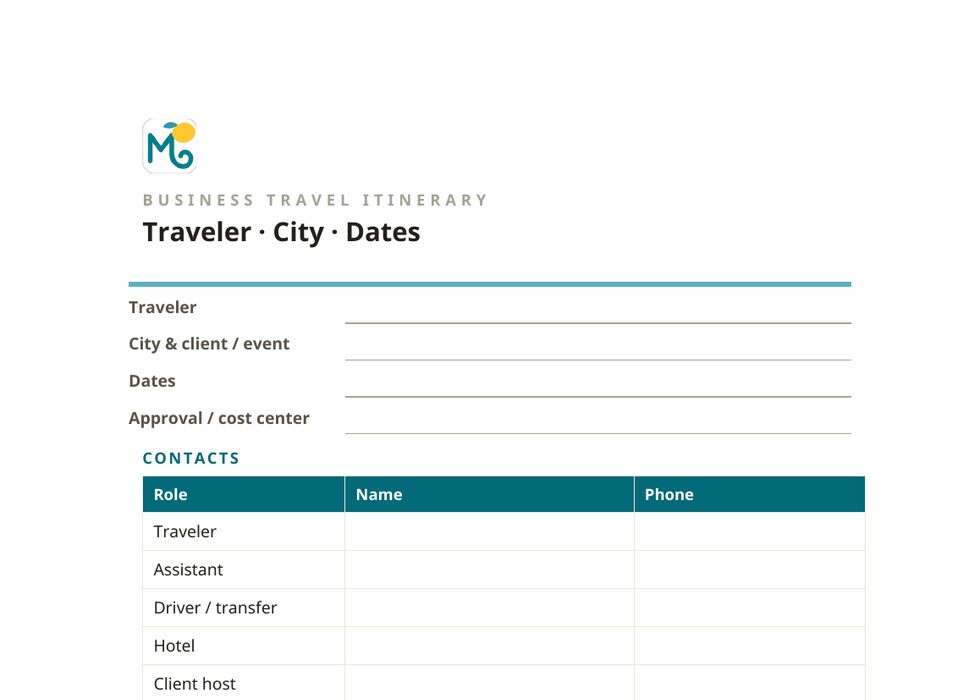
- A two-page Word document, top to bottom: contacts header, flight (PNR, times, seat, terminal), ground transport, hotel, and every meeting with its address and travel time from the hotel
- A footer reference block (time difference, exchange rate, weather, plug type, per diem), plus a link to your travel documents
- A calendar-paste block with one line per entry type: flight, transfer, hotel, meeting, return; plain text ready to drop into Outlook or Google Calendar
- A receipts checklist lined up against the budget lines, so nothing is missing at reimbursement time
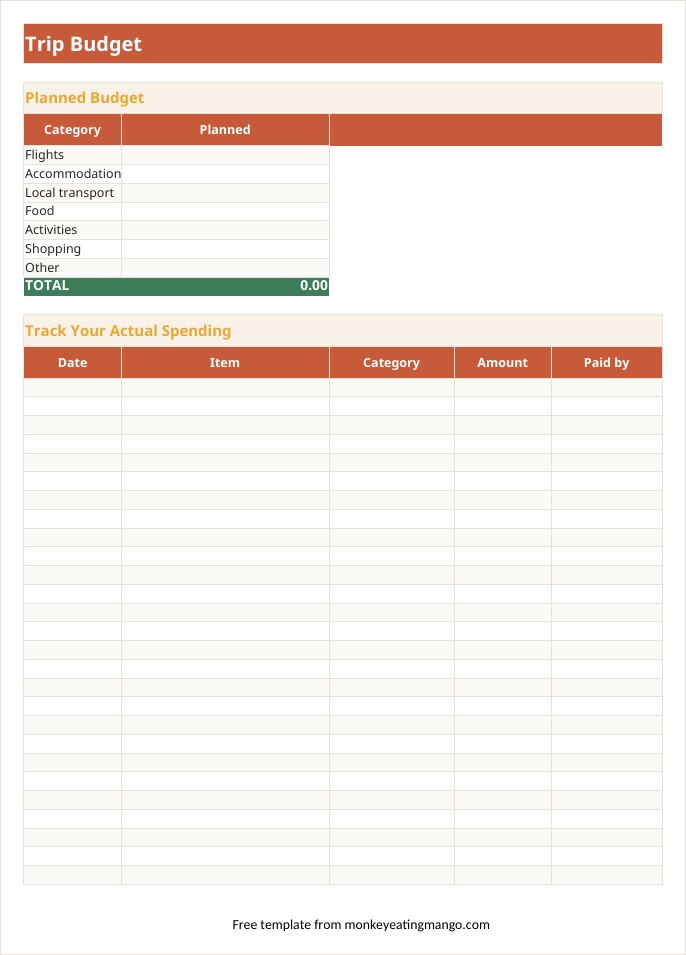
- The workbook underneath: an approval / cost-center field on the overview, a Bookings tab for PNRs and confirmations, and a Budget tab that doubles as the expense report
- A work-kit packing section in the workbook (adapters, business cards, the USB backup of the presentation), plus a pre-trip list sequenced from meeting confirmations down
Rather not fill it in yourself? Answer eight quick questions and our AI writes the whole itinerary for your destination (day-by-day plan, budget, food guide), then exports it to PDF, Excel, Word, Google Sheets, or Google Docs. Planning a trip is free, for now, and needs no account. Its first two days are free to read. A one-time $0.99 Trip Pass unlocks the rest of the days and every export for that trip. The blank templates stay free.
A business trip itinerary has one job: no surprises. The flight, the hotel, the meeting times and the ground transport between them, in one place the traveler (or the assistant who booked it all) can trust at 6am in a taxi.
The primary download is a two-page Word document, read top to bottom the way a travel desk builds one: contacts, then the flight, ground transport, hotel, and every meeting with its address and travel time from the hotel, closing with a footer reference block and a calendar-paste block with one line per entry type: flight, transfer, hotel, meeting, return. The xlsx workbook comes with it for the PNR tracker and the expense log: record spending as it happens and the reimbursement report writes itself.
A look inside the Business travel template
How to use it
- 1Download the two-page Word document, then open it in Word, Google Docs, or print it before you fly.
- 2Fill the header: your flight, hotel and ground transport, then each meeting with its address and travel time from the hotel.
- 3Paste the calendar block into Outlook or Google Calendar so the trip shows up without retyping it.
- 4Use the xlsx workbook alongside it for PNR tracking and the expense log: log spending on the Budget tab as it happens.
- 5By wheels-up on the last day, the receipts checklist and the expense report are both a sorted list, not a scramble.
Editing tips
Paste the calendar block, don't retype it
The document has a plain-text calendar line for each entry type (flight, transfer, hotel, meeting, return), ready to paste into Outlook or Google Calendar instead of typing the trip in twice.
Buffer the big meeting
Put an empty hour before the meeting that justifies the trip. Flights are late, taxis get lost, badges take time: the buffer is what keeps a travel problem from becoming a client problem.
Log expenses the same day
A receipt makes sense for about 24 hours. Enter it in the Budget tab with the client or project in the item column the day you spend it, and reimbursement week becomes reading a table instead of forensic accounting.
Share it before you fly
Send the document (or the workbook) to whoever needs to reach you: the assistant, the manager, home. The itinerary answering "where are you Tuesday 3pm" is the whole point of writing it down.
Frequently asked questions
What should a business travel itinerary include?
Flight details with PNR and seat, hotel with confirmation number and address, every meeting with its time, address and travel time from the hotel, ground transport between them, and an expense log, each with its own labelled field in the document or the workbook.
Should I use the Word document or the workbook?
Start with the two-page Word document: it is the format an assistant or travel desk actually forwards. Use the xlsx workbook alongside it for the PNR tracker and the expense log; both cover the same trip.
Can I use it for a conference rather than client meetings?
Yes. Put the sessions you actually need in the meetings section (not the whole agenda), the registration confirmation in bookings, and the registration fee on its budget line.
Does it produce an expense report?
It produces the disciplined inputs of one: every spend dated, categorised to match standard expense lines (flights, hotel, ground transport, meals & per diem, client entertainment), with a running total, and a receipts checklist lined up against those same lines. Export or copy the log into whatever your finance team uses.
My trip is five days, not three. Can I add days?
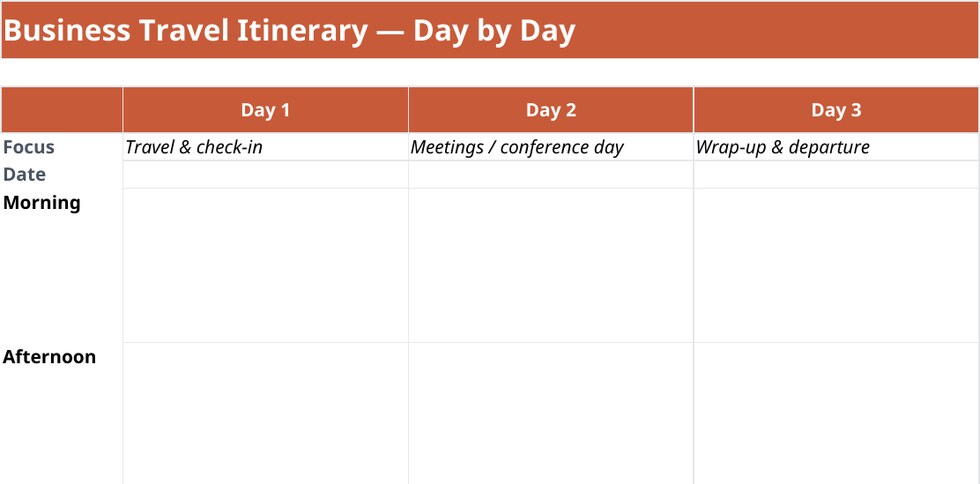
In the Word document, copy the meetings section for the extra day and relabel it; in the workbook, copy the meetings-day block of rows once per extra day. Either way, the layout and formulas do not care how many days you add.
Get the Business travel template
Download the two-page itinerary (.docx)Word or Google Docs · the format assistants actually sendOther formats
Excel itinerary template · Google Sheets template · Word itinerary template · Printable PDF template · Google Docs itinerary template · Notion template
Planning a specific kind of trip?
Bachelorette itinerary template · Disney itinerary template · Girls trip itinerary template · Road trip itinerary template · Birthday trip itinerary template · Family vacation itinerary template · Honeymoon itinerary template
Prefer it already planned? Browse 136 ready-made itineraries. Every one exports to PDF, Excel, Word, Google Sheets, or Google Docs.