Free template
Disney Itinerary Template
What’s inside
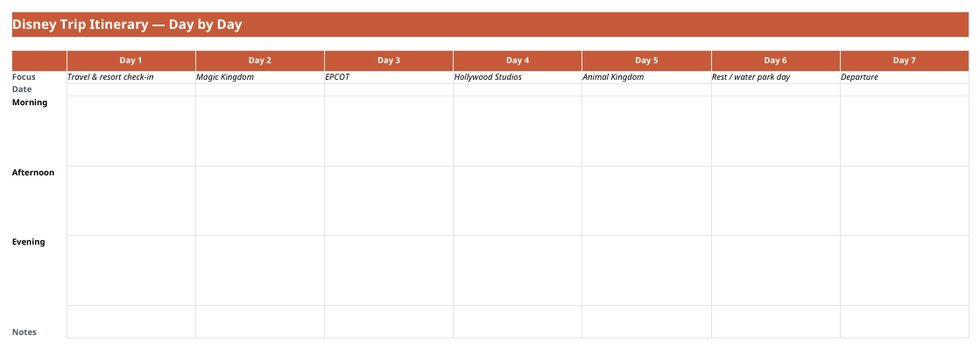
- Seven pre-labelled days (travel day, the four parks, a rest / water-park day, departure), each with its rope-drop target, ADRs (time, confirmation number), Lightning Lane selections and return windows, and a must-do tier
- A dated pre-trip countdown built around Disney's own deadlines: dining opens 60 days out at 6am ET, Lightning Lane Multi Pass opens 7 days out for resort guests (3 days off-site) at 7am ET
- Shortlist tab for the attractions and table-service restaurants still up for debate, ranked by must-do tier
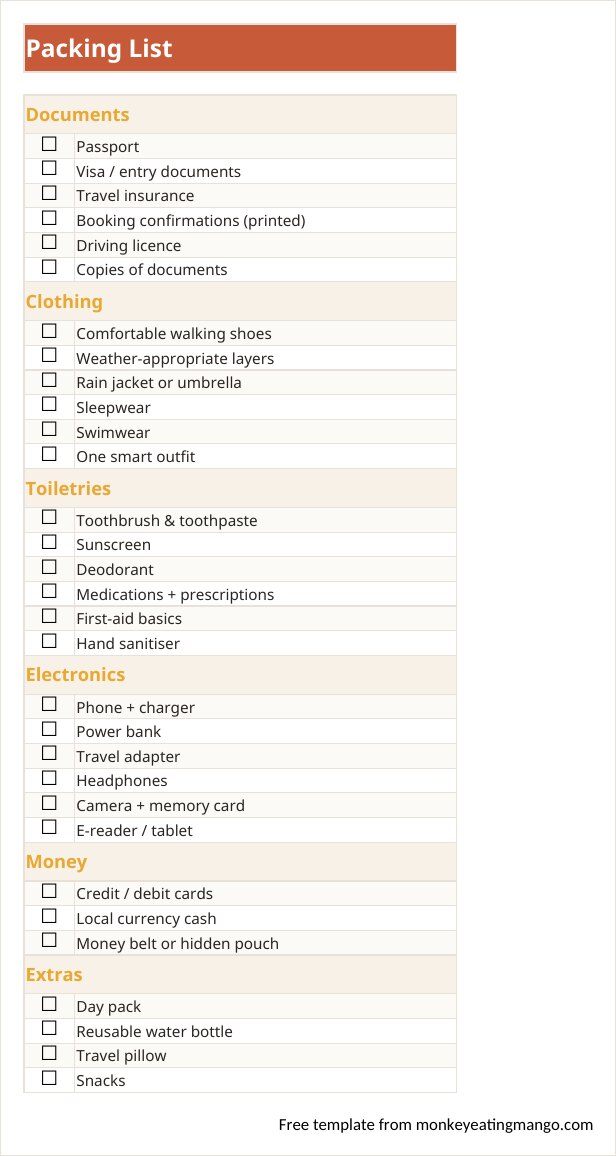
- A park-bag packing section: refillable bottles, ponchos, the power bank that saves the afternoon
- Budget categories that match how Disney actually charges: tickets, dining, Lightning Lane & extras, souvenirs. Spending converts through one exchange rate if you are traveling from outside the US
- Bookings tab with a link column and free-cancel dates for anything refundable
- A rest day on purpose: the itineraries that survive day five all have one
Rather not fill it in yourself? Answer eight quick questions and our AI writes the whole itinerary for your destination (day-by-day plan, budget, food guide), then exports it to PDF, Excel, Word, Google Sheets, or Google Docs. Planning a trip is free, for now, and needs no account. Its first two days are free to read. A one-time $0.99 Trip Pass unlocks the rest of the days and every export for that trip. The blank templates stay free.
Disney is the most logistics-heavy holiday most families ever plan: park reservations, dining windows that open 60 days out, Lightning Lane strategy, and a different park every morning. This template is our trip planner re-specced for exactly that.
The week arrives pre-labelled: Magic Kingdom, EPCOT, Hollywood Studios, Animal Kingdom, with a rest day where the sunburn says it should be. Each park day carries its rope-drop target, dining reservations with confirmation numbers, and Lightning Lane selections with their return windows. The pre-trip checklist is a dated countdown built around Disney's own deadlines: dining opens 60 days out at 6am ET, Lightning Lane Multi Pass opens 7 days out for resort guests (3 days for everyone else) at 7am ET.
A look inside the Disney trip template
How to use it
- 1Download and open in Excel, or upload to Google Sheets to plan with the family.
- 2Reorder the park days to match your actual park reservations: cut and paste each day's block, or just retype the day heading.
- 3Fill each park day: rope-drop target first, dining reservation, Lightning Lane selections, the afternoon break.
- 4Track spending against the ticket / dining / extras budget as you book.
- 5Run the pre-trip list in order. It is dated to Disney's own booking windows, so the top items are the ones that sell out.
Editing tips
Plan mornings, not days
A Disney day is won before 11am. Put the rope-drop ride and the dining reservation in the planner and leave the afternoon loose: the parks fill up, feet give out, and the flexible plan is the one that survives.
The power bank is a headline item
The park app drains a phone by mid-afternoon, and the app is your tickets, your Lightning Lane and your dinner reservation. That is why it sits in the park-bag list, not the electronics afterthoughts.
Keep the rest day
The template ships with a rest / water-park day in the middle. Every instinct says to trade it for a fifth park day; the family that keeps it is the one still smiling at the airport.
Frequently asked questions
How many days does this plan for?
Seven: travel day, the four Walt Disney World parks, a rest day, and departure. For Disneyland’s two parks, delete a day's block; for a longer stay, copy one. The layout does not care.
When should I book dining?
Disney dining reservations open 60 days before your visit at 6am ET and the popular tables go immediately. The pre-trip checklist puts dining right after park reservations for that reason.
When should I book Lightning Lane?
Lightning Lane Multi Pass opens 7 days before arrival for resort guests and 3 days before for everyone else, both at 7am ET. The pre-trip checklist carries the exact dates for your stay.
Does it work in Google Sheets?
Yes. Upload the .xlsx to Drive and it converts cleanly, checklists and budget formulas included. Handy when two parents are planning from two phones.
Get the Disney trip template
Download the Disney template (.xlsx)Excel or Google Sheets · 7-day park-by-park layoutOther formats
Excel itinerary template · Google Sheets template · Word itinerary template · Printable PDF template · Google Docs itinerary template · Notion template
Planning a specific kind of trip?
Bachelorette itinerary template · Girls trip itinerary template · Road trip itinerary template · Business travel itinerary template · Birthday trip itinerary template · Family vacation itinerary template · Honeymoon itinerary template
Keep planning
Best AI travel planners, compared · Weekend getaways by city
Prefer it already planned? Browse 136 ready-made itineraries. Every one exports to PDF, Excel, Word, Google Sheets, or Google Docs.