Free template
Travel Itinerary Template for Excel
What’s inside
- Six tabs: Trip overview, Day Planner, Bookings, Budget, Packing, Pre-Trip
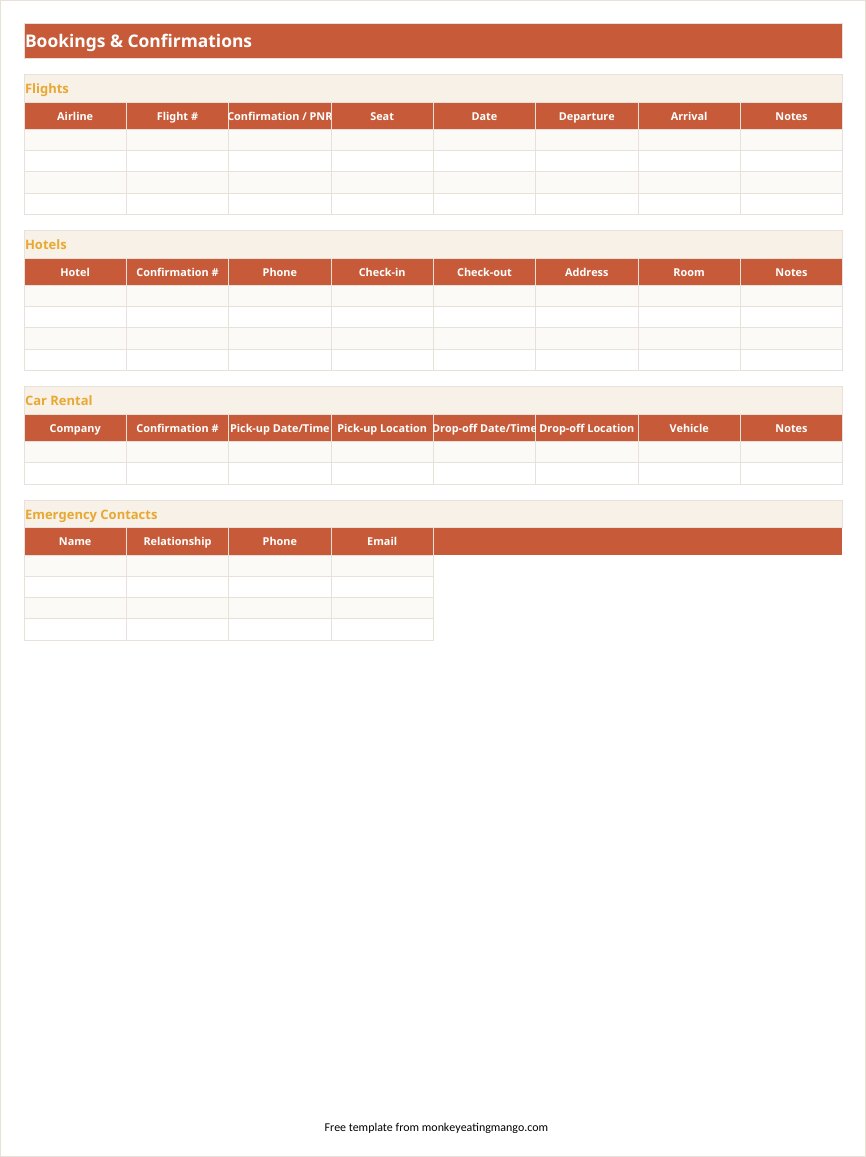
- Bookings tab built for business travel — flight PNR / seat / confirmation, hotel confirmations, car rental, emergency contacts
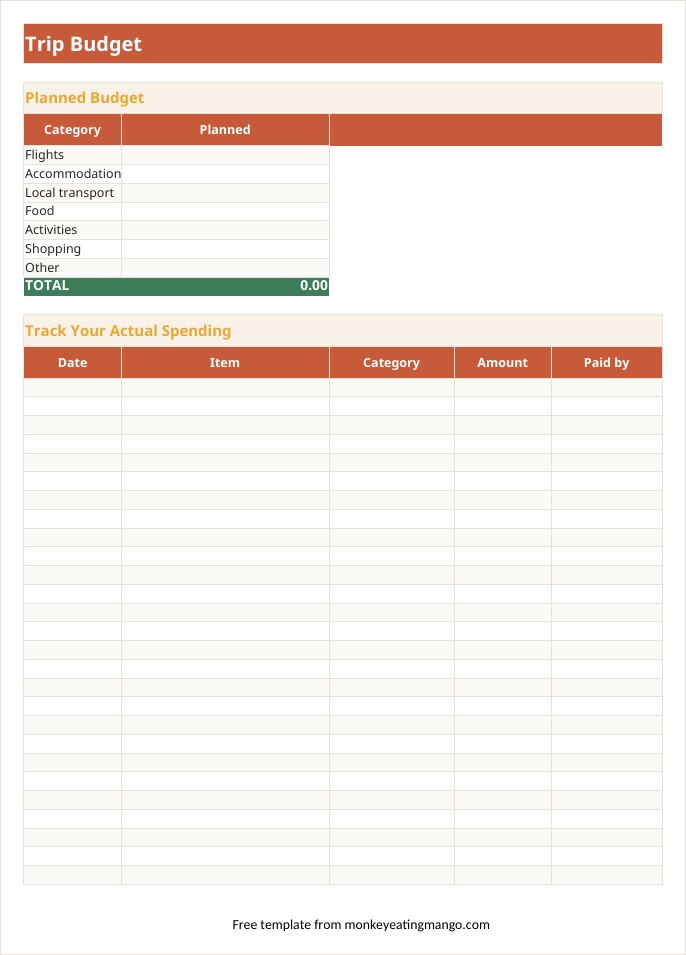
- Budget tab with SUM and SUMIF formulas — running totals and a who-paid split, no formula editing required
- Print areas, repeat header rows and fit-to-width already set on every tab (the day grid prints landscape)
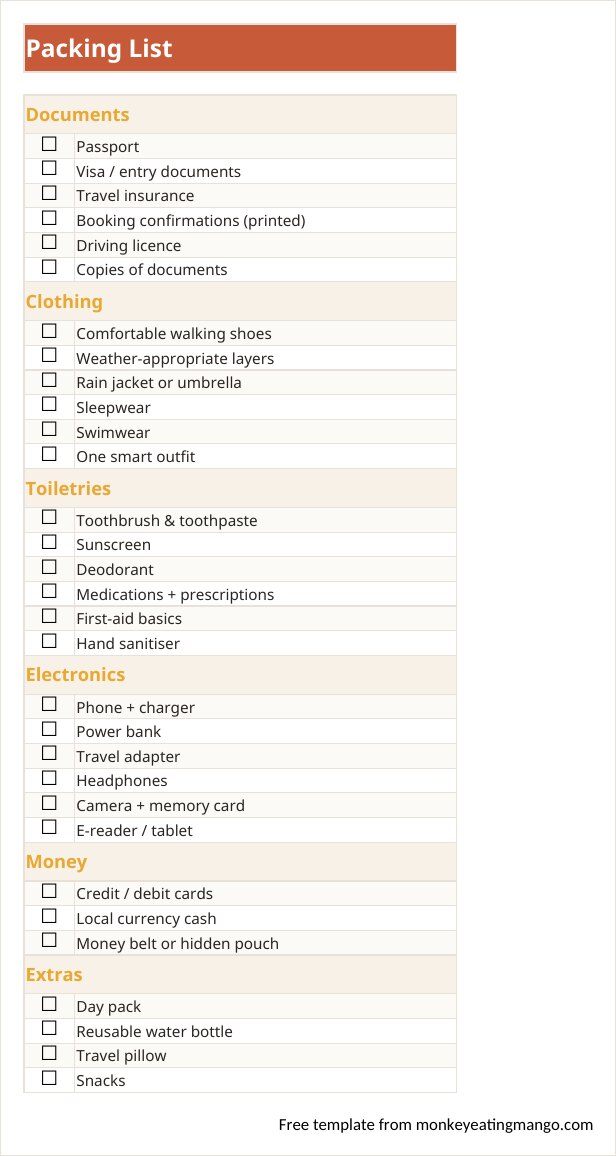
- Checkbox dropdowns on the Packing and Pre-Trip tabs
Rather not fill it in yourself? Answer eight quick questions and our AI writes the whole itinerary for your destination — day-by-day plan, budget, food guide — then exports it in this exact format. Free, no signup.
Most Excel itinerary templates are a grid with the word "itinerary" at the top. The useful ones treat the spreadsheet as what it is — a calculator — and let it carry the boring work: adding up costs, tracking who paid, remembering confirmation numbers.
This one does all three. It is a six-tab workbook: a day planner laid out one column per day, a bookings tab with space for PNRs and seat numbers, a budget that totals itself and splits costs across travelers, and packing and pre-trip checklists you can tick off.
A look inside the Excel template
How to use it
- 1Download and open — no macros, no security warnings, just a plain workbook.
- 2Start on the Trip tab: destination, dates, travelers, budget.
- 3Plan each day in the Day Planner tab; the first column and header row stay frozen while you scroll.
- 4As bookings confirm, log airline confirmation codes, PNRs and seats on the Bookings tab.
- 5During the trip, log spending on the Budget tab — totals and the per-person split update automatically.
Editing tips
The checkboxes are dropdowns, not decorations
Click any checkbox cell in the Packing or Pre-Trip tab and a small dropdown appears — pick the checked box to mark it done. They survive being uploaded to Google Sheets, too.
Print is already set up
Every tab has print areas, margins, and fit-to-width configured. The day planner prints landscape; everything else portrait. Ctrl+P should look right the first time.
Group trips: use the "Paid by" column
Put a name next to each expense and enter the same names in the Split by Traveler table — it sums what each person has fronted, which makes settling up at the end painless.
Frequently asked questions
Does this work in older versions of Excel?
It is a standard .xlsx with plain SUM/SUMIF formulas — anything from Excel 2010 onward opens it, as do LibreOffice, Numbers, and Google Sheets.
Is there a version with the itinerary already written?
Two, in fact: the filled Japan example above shows the structure in use, and monkeyeatingmango.com generates a complete custom itinerary for any destination — exportable to this same Excel layout — free.
Can I add more days or categories?
Yes — insert columns in the Day Planner for more days, and add rows to the budget categories. The formulas reference whole ranges, so totals keep working.
Does it work for a vacation or a business trip?
Both. The Bookings tab (flight PNR, seat, hotel, car rental) is the spine of a business trip; the Day Planner and packing list carry a vacation. Delete the parts your trip does not need.
Is the Excel template a free download?
Yes — the blank template and the filled Japan example both download free, no email required, no watermark.
Can I use it as a travel expense tracker?
Yes — the Budget tab is a working expense log: date, item, category dropdown, amount and who paid, with a running SPENT total. For a work trip, filter or sort the log by date and you have the receipt list an expense report wants.
Get the Excel template
Download the blank template (.xlsx)Excel 2010 or newer · live budget formulasNew templates, straight to your inbox
We add formats and occasion planners regularly. Leave an email and we'll send new templates and practical trip-planning tips — no spam.
Other formats
Google Sheets template · Word template · Google Docs template · PDF (printable) template · Notion template
Planning a specific kind of trip?
Bachelorette itinerary template · Disney trip itinerary template · Road trip itinerary template · Business travel itinerary template · Birthday trip itinerary template · Family vacation itinerary template · Honeymoon itinerary template · Girls trip itinerary template
Keep planning
Best AI travel planners, compared · What Wanderlog Pro costs (and free routes) · Sicily travel guide
Or start from a ready plan
7-day Japan itinerary · 5-day Paris itinerary · 7-day Italy itinerary
Or browse 100+ more ready-made itineraries — every one exports to PDF, Excel, Word, Google Sheets and Google Docs.