Wanderlog is one of the most popular trip planning tools on the internet. Its map-based planning interface, driving time calculations, and collaborative editing make it a solid choice for manual trip planning.
Compare
$0.99 once, not $39.99 a year
Wanderlog Pro costs $39.99 a year. Planning a trip is free, for now, and needs no account. Every day is free to read and edit. A one-time $0.99 Trip Pass gets the downloads of that trip to keep offline. No subscription.
Plan a trip free →But it's not perfect for everyone. Here are the most common reasons people search for Wanderlog alternatives:
- The AI plan stays in a chat: Wanderlog's assistant writes a day-by-day plan, but you still add every stop to the trip by hand (the Wanderlog review has the test)
- Pro, from $39.99 a year on the website, for offline access, route optimization, unlimited AI and booking tools
- Performance on big trips: one r/travel user wrote that "the app gets slower the more you add to it"
- Rigid itinerary structure: lodging pins to the top of each day, no calendar export, and no cycling transit option
Here are 11 alternatives worth trying, grouped from free AI generators to manual map-based planners.
Disclosure: MonkeyEatingMango is our own product, the tool behind this blog, so treat its entry with appropriate skepticism. It's included because it's a genuine alternative, and every tool here is described from publicly available information.
Quick Answer
| Need | Best Tool | Price |
|---|---|---|
| 90% done trip plan in 60 sec: finish it your way with PDF/Sheets | MonkeyEatingMango | Free to generate and read in full; $0.99 per trip for exports |
| Free Wanderlog clone with live events | Ellipsis Travel | Free |
| Apple-native trip organizer | Tripsy | Free; Pro $59 a year or $299 once |
| Auto-import bookings from email | TripIt | Free + $49/yr |
| AI chat-based trip planning | Layla AI | Free planning; pay for what you book |
| Quick AI itinerary with clean PDF | Wonderplan | Free |
| Fastest AI generation from basic inputs | iplan.ai | Free + paid |
| Map-based sightseeing planner | Sygic Travel | Free + paid |
| US road trip planning | Roadtrippers | Free (3 stops); Basic $35.99 a year or $11.99 a month |
| The free default everyone already has | Google Maps saved places | Free |
| Maximum flexibility (write your own prompts) | ChatGPT / Gemini | Free + $20/mo |
Get a solid starting point fast, then make it yours. Generate your free itinerary in about a minute, no signup required →
Looking for a head-to-head comparison?
If you're comparing specific tools rather than browsing alternatives, these dedicated breakdowns cover the most-asked matchups:
- Wanderlog Pro cost 2026: $31.99 to $59.99 a year by plan, what Pro adds, and whether it is worth it
- Wanderlog vs TripIt (2026): the manual planner vs the booking organizer, and what replaced Google Trips
- Wanderlog review (2026): its AI tested on a 7-day Tokyo trip, scored on the Oh-No Travel Index
- TripIt pricing: what TripIt Pro adds over the free tier
- Tripsy review: the Apple-only organizer, in depth
- Best AI travel planners (2026): 10 tools ranked, with the free tiers broken out
- Google Sheets travel itinerary template: a free planner for people who prefer a spreadsheet
Wanderlog Pricing: What's Free, What's Paid
Wanderlog's free tier covers map-based planning, manual budget tracking, live collaboration and a few AI messages (10 on a free account in October 2026). Wanderlog Pro, from $39.99 a year on the website and $31.99 to $59.99 in the iOS app, adds offline access, unlimited AI assistance, route optimization, flight and car rental deals, and export to Google Maps (wanderlog.com/pro, read October 21, 2026).
For every plan and price and whether Pro is worth it, see what Wanderlog Pro costs.
The alternatives in this post that offer free PDF export include Ellipsis Travel and Wonderplan.
How do AI planners compare with Wanderlog on one trip?
Six planners, Wanderlog included, received the same 7-day Tokyo brief on October 19, 2026, and each plan was scored on the Oh-No Travel Index: the questions a first trip needs answered and the day faults a plan should not make, 0 to 20, lower is better.
| Planner | What the brief returned | Oh-No Travel Index |
|---|---|---|
| iMean | A prose day plan in its chat, 1 free message a day | 5 |
| MonkeyEatingMango | 7 timed days with a cost estimate | 4 |
| Plantrip | 7 days with train lines and fares | 11 |
| Stardrift | 7 days of two stops, with hotel prices | 10 |
| Stippl | 3 bases, no day plan | 11, plus 5 not scored |
| Wanderlog | 7 days in its AI chat; the trip stays empty | 8 |
The table is alphabetical. MonkeyEatingMango is the product behind this blog, and its row is scored the same way as the others.
11 Wanderlog Alternatives at a Glance
| Tool | Type | AI? | Export | Collaboration | Offline | Price |
|---|---|---|---|---|---|---|
| MonkeyEatingMango | AI generator | Yes | $0.99 per trip | View-only | Via PDF | Free to generate and read; $0.99 per trip for exports |
| Ellipsis Travel | Manual planner | Limited | Yes | Yes | Limited | Free |
| Tripsy | Organizer | Via Claude | Yes | Limited | Yes | Free; Pro $59 a year or $299 once |
| TripIt | Booking organizer | No | Limited | No | Pro only | Free + $49/yr |
| Layla AI | AI chat planner | Yes | Limited | No | No | Free planning; pay for what you book |
| Wonderplan | AI generator | Yes | Yes | Yes | No | Free |
| iplan.ai | AI generator | Yes | Paid | No | No | Free + paid |
| Sygic Travel | Map planner | No | No | No | Premium | Free + paid |
| Roadtrippers | Road trip planner | Autopilot (Premium) | No | Yes | No | Free (3 stops); Basic $35.99 a year or $11.99 a month |
| Google Maps | Map + saved places | No | No | Shared lists | Yes | Free |
| ChatGPT / Gemini | AI chatbot | Yes | No | No | No | Free + $20/mo |
1. Ellipsis Travel: Best Free Full-Featured Alternative
Best if: You want everything Wanderlog offers but without the Pro paywall.
Ellipsis Travel positions itself as a free alternative to Wanderlog with a modern interface, collaborative features, and one unique addition: it shows live events happening at your destination during your travel dates.
Key Features
- Free with no paywall on core features, including export
- Live events integration (concerts, festivals, exhibitions during your dates)
- Collaborative planning with shared editing
- Clean, modern design with map integration
Limitations
- Smaller community and fewer shared itineraries than Wanderlog
- No AI generation: still fully manual planning
- Sustainability of "everything free" model is uncertain
- Less mature mobile app
Pricing
Free
2. MonkeyEatingMango: Best for AI-Generated Itineraries (Our Product)
Best if: You're tired of spending hours across 10 tabs trying to build a trip from scratch and want a complete, realistically paced itinerary without the planning fatigue.
Disclosure: This is our own product. It's described the same way as everything else on this list, including its genuine limitations.
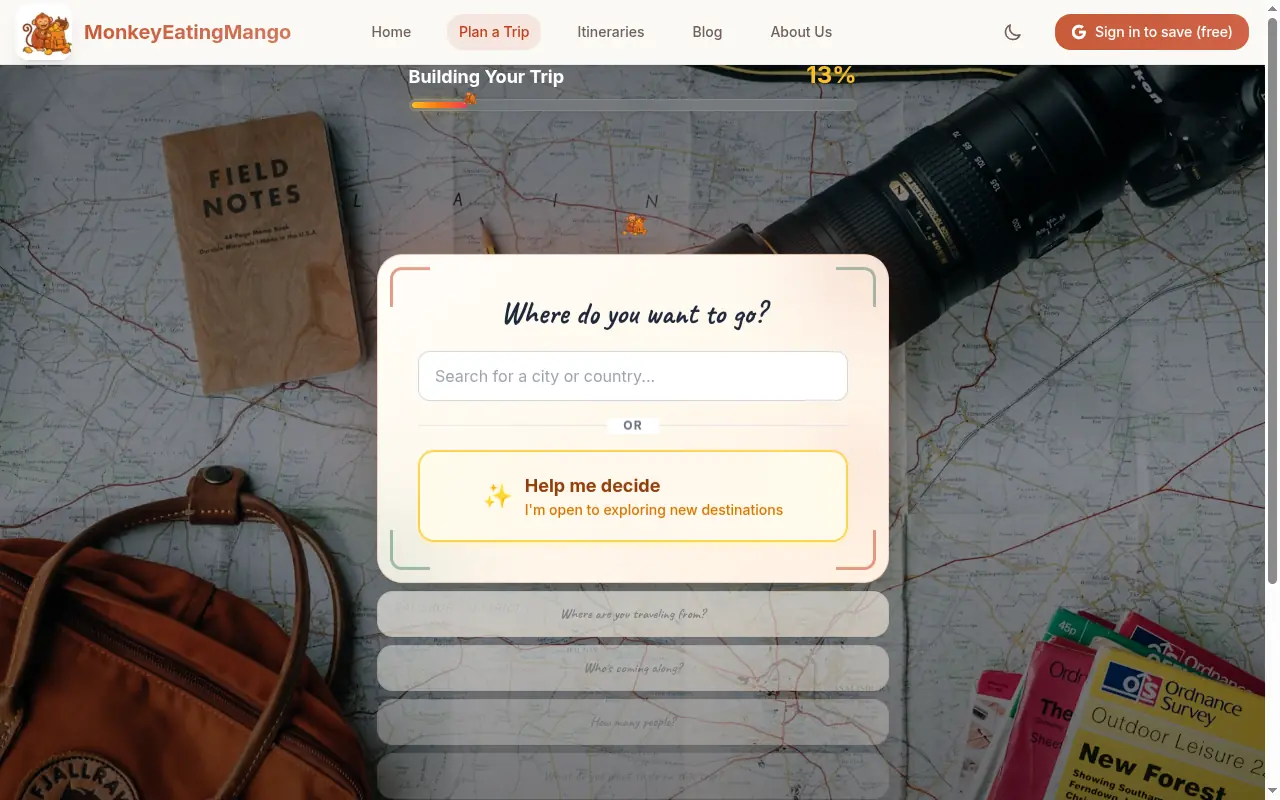
MonkeyEatingMango takes the opposite approach to Wanderlog. Instead of building an itinerary piece by piece, you answer 8 questions about your trip: destination, dates, who is going, pace. AI generates a full day-by-day plan, with a cost estimate for the group, in about a minute.
Get a solid starting point fast, then make it yours. Download the itinerary as a PDF, export it to Google Sheets, or save it as an Excel file. From there, you can customize every detail in the format you already use. No learning a new tool, no fighting a clunky interface.
Unlike generic AI tools that cram 12 attractions into every day, MonkeyEatingMango asks for a pace (Relaxed, Comfortable, Balanced or Packed) and generates to it. Every activity includes estimated costs in your local currency, and each day comes with an embedded Google Maps route.
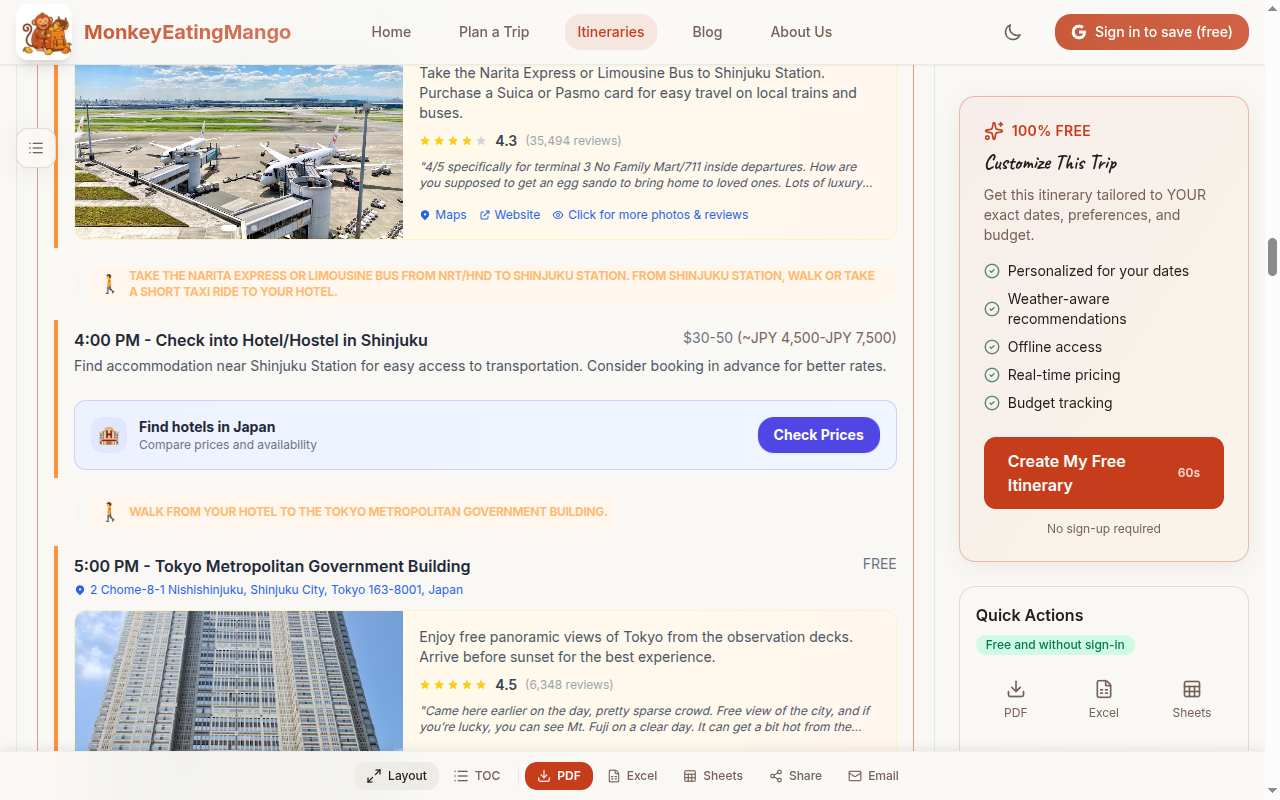
New capabilities ship every week. Recent additions include food guides, packing lists tailored to your destination and season, must-have local experiences, and budget tips. The goal is to keep making the generated starting point better so there's less to customize by hand.
Key Features
- Day-by-day itinerary with activities, restaurants, and hotel suggestions
- Estimated costs for every activity in your local currency
- Embedded Google Maps routes per day
- Expense breakdown, packing list, food guide, and booking checklist
- PDF, Excel, and Google Sheets export: customize the plan in your own format
- Hundreds of curated itineraries you can browse for inspiration
- New features shipping weekly: the starting point keeps getting better
How It Compares to Wanderlog
| Feature | MonkeyEatingMango | Wanderlog |
|---|---|---|
| AI-generated itinerary | Yes, as the trip | Yes, in a chat; the trip stays empty |
| Time to first plan | ~1 minute | ~1 minute in the AI chat, after an account; placing stops by hand after that |
| Cost estimate built in | Yes, for the group | Per-day estimates in the AI chat; manual tracking on the trip |
| Multi-currency auto-conversion | Yes | Limited |
| Export | PDF, Excel, Sheets: $0.99 one-time | Google Maps export on Pro |
| Collaborative editing | No (view-only sharing) | Yes, free |
| Route optimization | Per-day maps | Real-time drag-and-drop |
| Pace options | Relaxed, Comfortable, Balanced, Packed | Manual control |
Limitations
- No drag-and-drop manual editing: you get a generated plan, not a planning workspace
- No real-time collaborative editing (you can share a view-only link or export to Google Sheets)
- No email booking import like TripIt
- Better for trip generation than ongoing trip management
Pricing
Free to generate: no account required, no credit card, no limits on itinerary generation, and every day of every trip is free to read and edit. Exports are a one-time $0.99 Trip Pass per trip.
3. Tripsy: Best for Apple Users
Best if: You live in the Apple ecosystem and want a beautifully designed native app.
Tripsy is an iOS/macOS trip planner praised for its polished Apple-native design. It handles complex multi-transport trips well: flights, trains, boats, hotels all organized in one timeline.
Key Features
- Native Apple experience with excellent design
- Handles complex multi-transport itineraries
- Offline access to all trip details
- Apple Watch support for quick reference
Limitations
- Apple-only for editing: Android is on a waitlist as of June 2026, and the web is a view-only share link
- No one-tap generator, though a 2026 Claude integration can now build trips in conversation
- Small user base compared to Wanderlog
Pricing
Pro is $59 a year or $299 once (the one-time price is a lifetime license), per tripsy.app/pro in October 2026; trips are created on Apple devices and can be viewed in any browser at my.tripsy.app. See the Tripsy review for a detailed breakdown.
4. TripIt: Best for Booking Organization
Best if: You've already booked flights and hotels and need to organize them in one place.
TripIt is less of a trip planner and more of a trip organizer. Its killer feature is auto-importing bookings from your email. Forward a confirmation and TripIt creates a chronological itinerary of your booked activities.
Key Features
- Auto-import bookings from email (flights, hotels, car rentals)
- Chronological timeline view of all reservations
- Flight status alerts and gate change notifications (Pro)
- Offline ticket and confirmation storage
Limitations
- No itinerary generation (AI or manual): only organizes existing bookings
- No discovery features: doesn't suggest what to do
- No map-based planning or route optimization
- Pro required for best features ($49/year)
Pricing
Free + Pro ($49/year). See the TripIt pricing breakdown and the Wanderlog vs TripIt comparison for detailed breakdowns.
TripIt and Wanderlog serve different purposes. TripIt organizes what you've already booked; Wanderlog helps you plan what to do. Many travelers use both.
5. Layla AI: Best AI Chat-Based Planner
Best if: You want an AI travel assistant with a conversational interface and hotel booking integration.
Layla AI takes a chat-based approach to AI trip planning. You describe your trip in natural language, and Layla generates an itinerary you can refine through conversation. As of October 2026, its FAQ says planning is free with no subscription; you pay for the trips you book through Layla, with Travel Advisors to shape the plan.
Key Features
- Conversational AI interface: describe your trip naturally
- Booking through Layla, with Travel Advisors
- Iterative refinement through chat
- Visual map view of planned activities
Limitations
- Chat interface can be slower than MonkeyEatingMango's 8-question flow for straightforward trips
- Suggests a minimum of €100 per person per night for the trips it books
- Recommendations follow the trips Layla books
- Export options more limited than dedicated planners
Pricing
Free planning with no subscription; you pay for the travel you book through Layla (FAQ, October 2026). Layla is one of ten tools covered in Best AI travel planners (2026) roundup.
6. Wonderplan: Best for Quick PDF Export
Best if: You want a fast AI-generated itinerary with a clean, exportable PDF.
Wonderplan is an AI itinerary generator with straightforward inputs and clean output. It focuses on getting you a usable plan quickly with collaborative sharing features.
Key Features
- Fast AI generation with simple inputs
- Clean PDF export included free
- Collaborative sharing features
Limitations
- Limited budget tracking
- Smaller feature set than more established tools
- Less detailed output than MonkeyEatingMango or Layla AI
Pricing
Free
7. iplan.ai: Best for Speed
Best if: You want the fastest possible AI-generated itinerary from minimal inputs.
iplan.ai generates itineraries in under a minute from basic inputs like destination, dates, and interests. It's a no-frills tool focused on speed over depth.
Key Features
- Very fast generation from minimal inputs
- Simple, clean interface
- Good for quick trip inspiration
Limitations
- Output is less detailed than competitors
- Limited customization options
- PDF export and fuller features require paid tiers
Pricing
Free tier; paid plans from ~$4-10/month
8. Sygic Travel: Best Map-Based Sightseeing Planner
Best if: You want a visual, map-first approach to discovering attractions and planning sightseeing routes.
Sygic Travel is a map-centric travel planner with a large database of attractions, tours, and points of interest. It excels at visual trip planning where you browse attractions on a map and drag them into your day-by-day plan.
Key Features
- Large attraction database with photos and descriptions
- Map-first planning interface
- Offline maps and guides (premium)
- Integration with GetYourGuide for tour booking
Limitations
- No AI generation: manual planning only
- Premium required for offline access and full guides
- Less intuitive than Wanderlog for complex multi-city trips
- Export options are limited
Pricing
Free with premium features available via subscription
9. Roadtrippers: Best for US Road Trips
Best if: You're planning a driving-focused trip in North America and want route-based planning with stops along the way.
Roadtrippers specializes in road trip planning. You set a start and end point, and it suggests interesting stops, attractions, and accommodations along your route. It's purpose-built for driving trips rather than city-hopping itineraries.
Key Features
- Route-based planning with distance and drive time calculations
- Suggests roadside attractions, restaurants, and campgrounds along your route
- Collaborative planning for group road trips
- Gas cost estimates based on your vehicle
Limitations
- Primarily US/Canada focused: limited international coverage
- Not suitable for non-driving trips (flights, trains)
- Autopilot, its AI planner, is Premium only and does not write a day-by-day plan
- The free plan holds 1 trip of 3 stops, start and end included; more trips and stops, navigation and RV tools need a paid plan
Pricing
Free (1 trip, 3 stops); Basic $35.99 a year or $11.99 a month, Pro $49.99 a year or $16.99 a month, Premium $59.99 a year or $19.99 a month, as of October 2026. See the Roadtrippers app review.
10. Google Maps Saved Places: The Free Default
Best if: You want the simplest possible approach and already use Google Maps daily.
This isn't an app. It's a workflow. Many experienced travelers (especially on r/travel) skip dedicated planning tools entirely and just use Google Maps saved places with color-coded lists. Star restaurants in one list, attractions in another, hotels in a third.
Key Features
- Already installed on your phone: zero setup
- Works offline (download areas for offline use)
- Most accurate real-time data (hours, reviews, directions)
- Shared lists for group trip collaboration
Limitations
- No itinerary structure: just a collection of pins, not a day-by-day plan
- No budget tracking or cost estimates
- No route optimization across multiple days
- No export to PDF or shareable itinerary format
- Requires manual organization discipline
Pricing
Free
The r/travel consensus is: "For me nothing beats a spreadsheet, Google Maps, and booking site of choice." If the spreadsheet route appeals, a free Google Sheets trip-planner template gives you that structure without building the tabs yourself, and the Word travel itinerary template covers the plan-as-a-document camp. And if you want more structure than pins-plus-spreadsheet but less complexity than Wanderlog, that's where tools like MonkeyEatingMango fit: a structured plan with costs and maps without spending hours building it.
11. ChatGPT or Google Gemini: Best for Maximum Flexibility
Best if: You want maximum flexibility and don't mind writing your own prompts.
Using a general-purpose AI model directly gives you infinite customization: ask for any destination, any constraints, any format. Some travelers swear by it for brainstorming.
Key Features
- Completely flexible: ask for anything in any format
- Good for initial brainstorming and destination research
- Can handle very specific or unusual constraints
- Conversational refinement: keep adjusting until it's right
Limitations
- No persistence: your itinerary vanishes when you close the chat
- No map integration or visual route planning
- No budget tracking or real cost estimates (makes up numbers)
- Prone to hallucinations (closed restaurants, wrong opening hours, impossible routes)
- Output is unstructured text, not a usable exportable plan
- Tends to "cram 12 attractions into every day": no pacing intelligence
- You need to know what to ask for: quality depends entirely on your prompts
Pricing
Free (with usage limits); paid tiers from $20/month
The difference between ChatGPT and a purpose-built tool like MonkeyEatingMango: ChatGPT gives you a wall of text. MonkeyEatingMango gives you a structured itinerary with real costs, embedded maps, and exportable formats, all without writing a single prompt. If you like ChatGPT's flexibility but want the output somewhere durable, a free Notion travel planner template gives the text a structured home.
Wanderlog vs MonkeyEatingMango
The tools serve different use cases.
Choose Wanderlog if you enjoy the planning process itself: researching places, dragging pins on a map, optimizing routes manually. Wanderlog is a powerful workspace for people who want full control over every detail.
Choose MonkeyEatingMango if you want a solid starting point without the hours of research: a complete itinerary with a cost estimate, ready in about a minute that you can download as PDF or export to Google Sheets and customize from there. New features ship weekly, so the starting point keeps getting better.
See what a real AI-generated itinerary looks like: 7-day Japan itinerary | 5-day Paris itinerary | 7-day Bali itinerary | 10-day Rome and Florence itinerary | 4-day Copenhagen itinerary
Related Comparisons
- Wanderlog Pro cost 2026: every plan and price, and what Pro adds
- Wanderlog review (2026): its AI tested on a 7-day Tokyo trip
- 10 Best TripIt Alternatives: if you need booking organization, not just planning
- Tripsy review (2026): the Apple-native organizer, and which alternative fits
- Best AI travel planners (2026): 10 tools ranked, with a section on which ones track a budget
Real Destination Guides
If you're heading to a specific place, these go deeper than any planner's auto-output:
- 3 days in Tokyo itinerary: Sensō-ji, Shibuya and a day-by-day plan
- Shanghai Travel Guide: the Bund, French Concession, getting around
- Guilin & Yangshuo Travel Guide: Li River cruise, karst landscapes, what to skip
- Sardinia Travel Guide: beaches, where to base yourself, daily costs
- Sicily Travel Guide: routes, daily costs, when to go
- Croatia Travel Guide: islands, ferries, when to go
Or start from a finished plan instead of a guide:
- Munich 4-day itinerary: a ready-made city break, day by day
- 7-day Vienna and Salzburg itinerary: a week in Austria with costs and maps
Still picking a destination? Answer a few quick taste questions and get matched with places that fit. Or stay close to home: the weekend getaways by city rank short escapes from NYC, Chicago, LA and more by drive time and real cost.
How These Tools Were Compared
Each tool is assessed on: time to first usable plan, output quality and realism, export options, pricing model, and mobile experience. For AI tools, a key factor is whether the generated itinerary keeps realistic daily pacing or falls into the common "12 attractions per day" problem. For a focused comparison of just the AI-powered planners, see the Best AI travel planners (2026). Last updated October 2026.
Frequently Asked Questions
Is there a free alternative to Wanderlog Pro?
Yes. Ellipsis Travel offers similar manual planning features with free export. MonkeyEatingMango takes a different approach: it generates full itineraries with AI, shows every day free, and unlocks PDF, Excel, and Google Sheets export for a one-time $0.99 per trip. Both are free to start with no account required.
Does Wanderlog have AI itinerary generation?
Wanderlog's AI Assistant writes a day-by-day plan in a chat, but it does not fill in the trip. On a 7-day Tokyo test in October 2026, a free account (10 AI messages) got a full plan while the trip's own days stayed empty. For a plan that arrives as a dated itinerary, use a generator such as MonkeyEatingMango.
Can I export my Wanderlog itinerary as a PDF for free?
Wanderlog's Pro plan, from $39.99 a year on the website, adds Google Maps export, offline access, route optimization and unlimited AI messages. Alternatives that include PDF export are MonkeyEatingMango and Ellipsis Travel.
What is the best Wanderlog alternative for group trips?
Ellipsis Travel is the closest to Wanderlog for collaborative group planning with a free tier. If your group prefers to start from an AI-generated plan, you can generate an itinerary with MonkeyEatingMango and export it to Google Sheets for collaborative editing.
What is the best AI travel planner in 2026?
MonkeyEatingMango is a strong option. It creates complete day-by-day plans with real costs, maps, and packing lists in about a minute. Layla AI is another option with a chat-based interface. ChatGPT and Gemini can also generate itinerary text, but the output is unstructured and lacks maps, budgets, or export.
Can I import my Wanderlog trips to another app?
Wanderlog does not offer a standard export format that other apps can import. Your best option is to manually recreate the trip in another tool, or use MonkeyEatingMango to generate a fresh itinerary for the same destination in about a minute.
Which travel planner has realistic pacing instead of cramming 12 attractions per day?
MonkeyEatingMango asks for a pace (Relaxed, Comfortable, Balanced or Packed) and plans each day to it. Most AI planners and generic ChatGPT prompts tend to overstuff itineraries. Wanderlog gives you full manual control over pacing but requires you to build everything from scratch.
Disclosure: MonkeyEatingMango is the product behind this blog. Every Wanderlog alternative here is described from publicly available information; treat the MonkeyEatingMango entry with appropriate skepticism. Last updated October 2026.

Written by Shobhit Shrivastava · Founder