How to Use MonkeyEatingMango: From 8 Questions to a Complete Itinerary
MonkeyEatingMango generates a complete travel itinerary in about two minutes. You answer 8 quick cards and get a day-by-day plan with costs, restaurant picks, a food guide, packing list, and Google Maps routes. This guide walks through the entire process with screenshots so you know exactly what to expect.
Try free
Plan a trip in about 2 minutes
Tap through 8 quick cards for a complete itinerary with budget, maps, and packing lists. No account required.
Plan a trip →Step 1: Start the Question Flow
Go to monkeyeatingmango.com and type a destination into the box at the top, or click Plan a trip in the navigation bar.
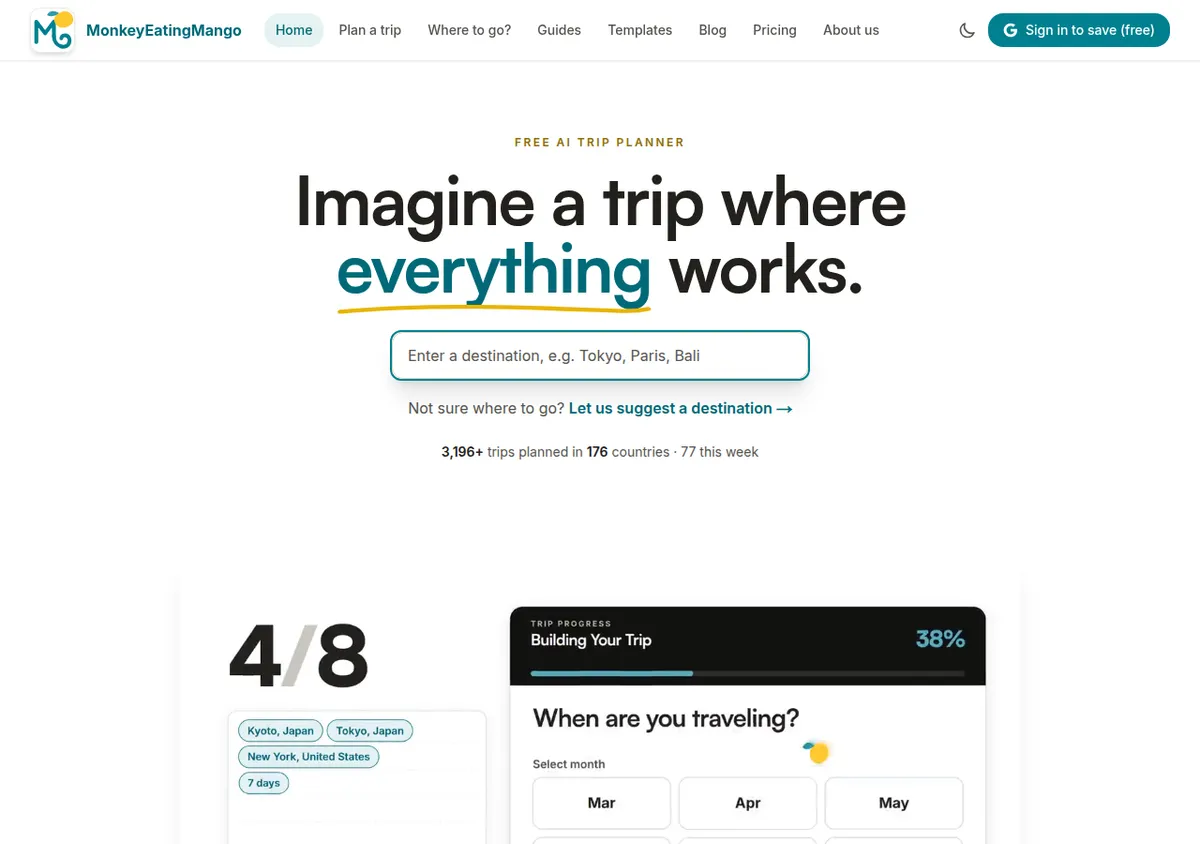
Not sure where to go yet? The link under the box, "Let us suggest a destination," opens a separate finder that suggests places from your dates, budget and starting point.
Step 2: Answer the Question Cards
The planner asks one question per card, and most take a single tap. A typical trip takes 8 cards; a specific date range skips the trip-length card, and a travel-mode card appears only when more than one way of getting there makes sense.
| Card | What it asks | Your options |
|---|---|---|
| 1 | Where do you want to go? | Type a city or country; add more cities for a multi-stop trip |
| 2 | Where are you traveling from? | Type your home city |
| 3 | Who's coming along? | Just me, couple, family or friends |
| 4 | What do you want to do on this trip? | 15 interests, from food and history to nightlife and wellness |
| 5 | When are you traveling? | Specific dates, a month, or still checking |
| 6 | How long is your trip? | 3 to 21 days, or an exact length |
| 7 | What's your pace? | Relaxed, comfortable, balanced or packed |
| 8 | Your trip is almost ready! | A review of every answer, then Generate my trip |
There is no budget question: the plan tells you what the trip costs instead. Tap Back at any point to change an answer, or tap any box on the review card.
Where do you want to go? Lisbon picked, with nearby cities to add Where are you traveling from? Suggestions while typing New York Who's coming along? Just me, couple, family or friends What do you want to do on this trip? Fifteen interests to pick from When are you traveling? Specific dates, a month, or still checking How long is your trip? From 3 to 21 days, or an exact length What's your pace? Relaxed, comfortable, balanced or packed
Step 3: Review and Generate
The last card shows every answer in one place. Click any box to change it, then tap Generate my trip.
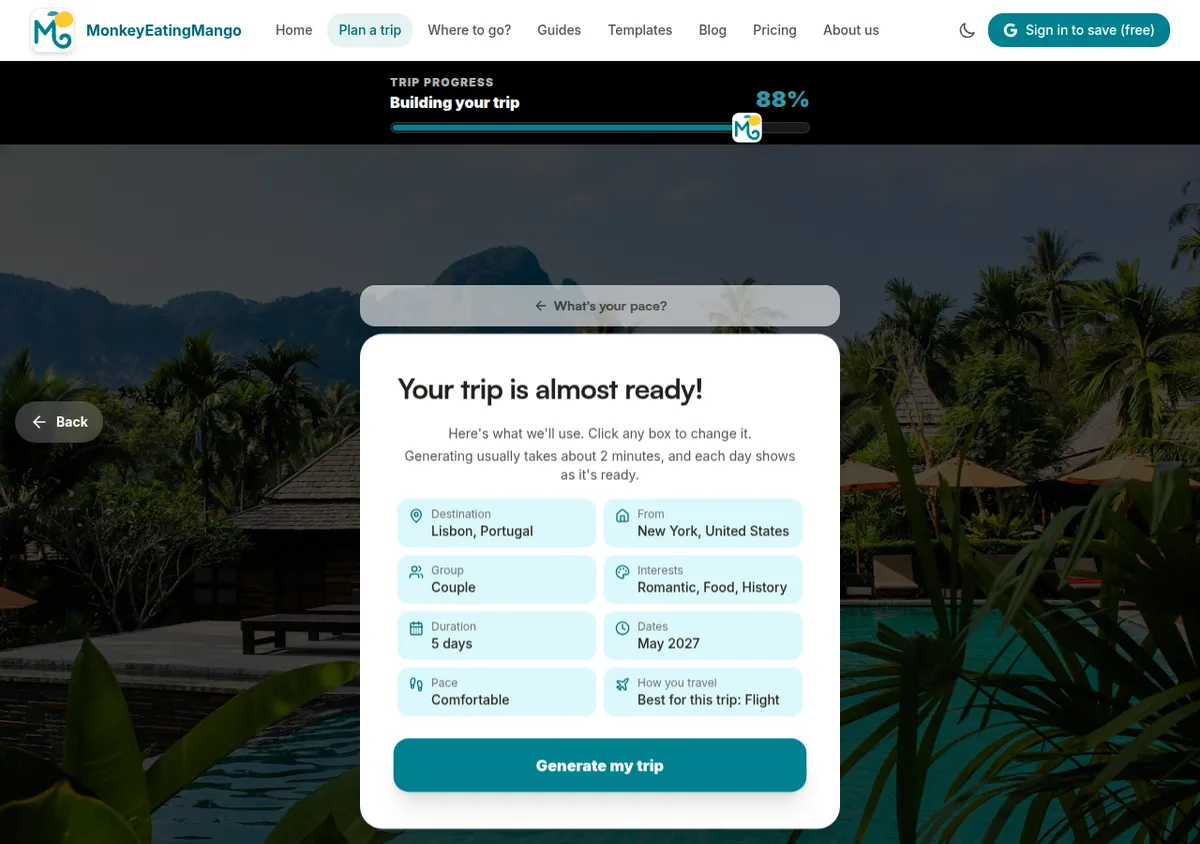
Generating usually takes about 2 minutes, and each day appears as soon as it is ready.
Step 4: Explore Your Itinerary
This is the main output, a complete travel plan. Here is what the itinerary page looks like, using a 3-day Tokyo itinerary as an example:
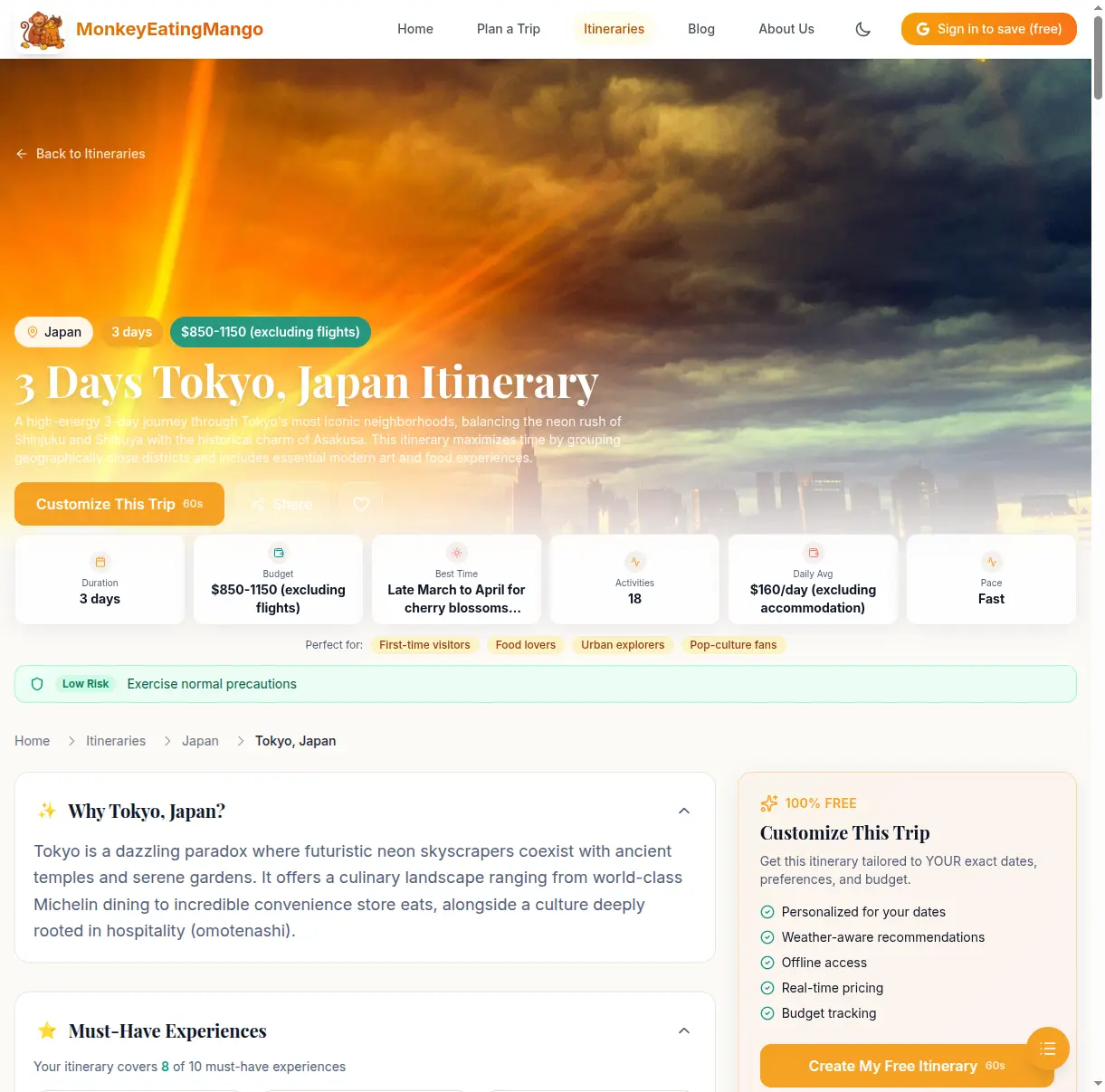
Trip overview at a glance
The top of every itinerary shows key stats:
- Duration: how many days the trip covers
- Total budget: estimated cost excluding flights
- Best time to visit: recommended months and why
- Activities count: total planned activities across all days
- Daily average: how much to budget per day
- Pace: relaxed, moderate, or fast
- Perfect for: who this itinerary suits (first-time visitors, food lovers, families, etc.)
A safety banner shows the current travel advisory level for your destination (low risk, moderate, high).
Day-by-day timeline
Each day has a theme (e.g., "Youth Culture & Neon Lights"), a highlight of the day, weather forecast, and a budget estimate.
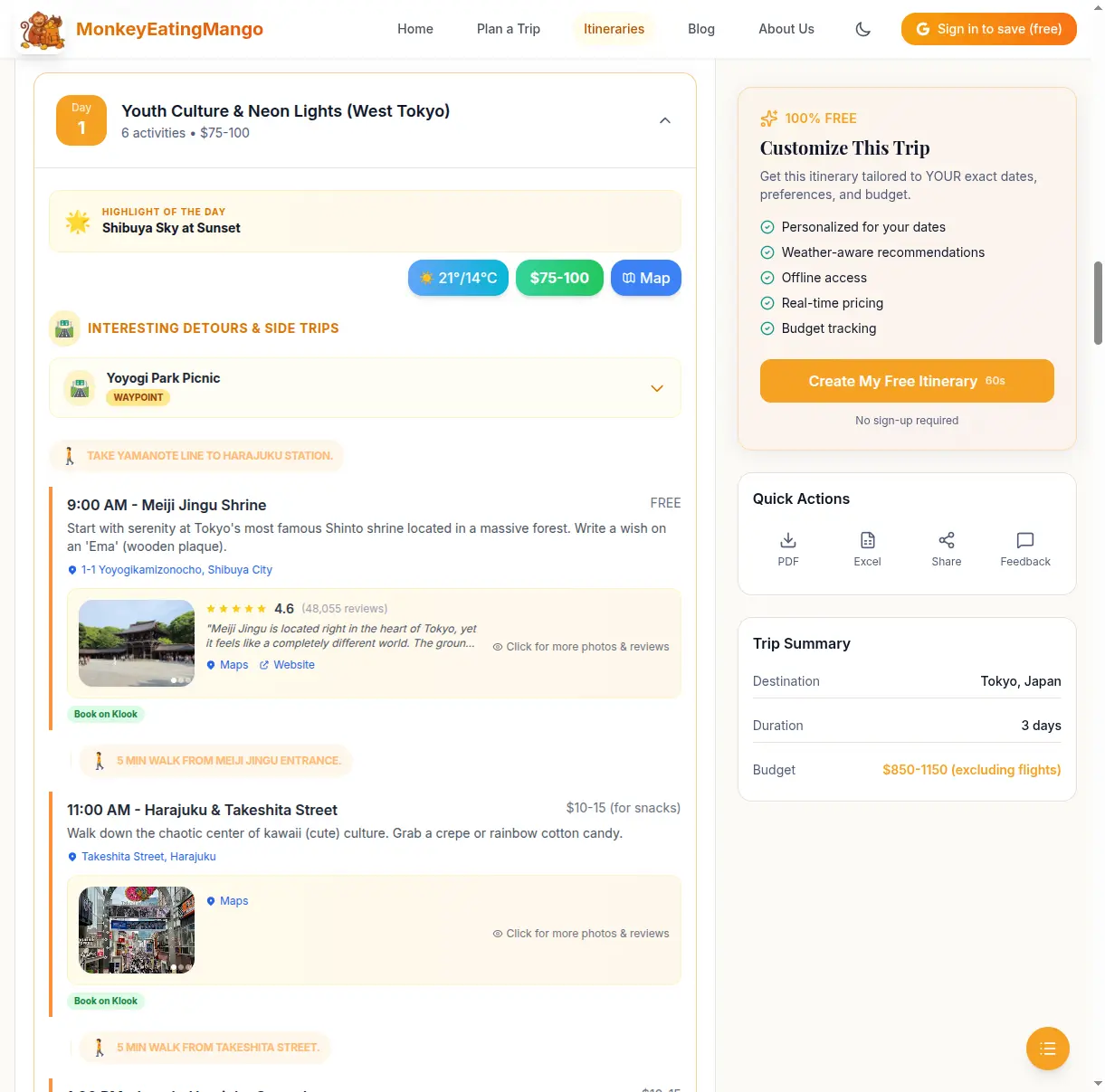
Each activity shows:
- Time: when to start each activity
- Name and description: what the activity is and why it is worth doing
- Cost: individual cost estimate (or "Free")
- Address: clickable link that opens in Google Maps
- Transit info: how to get from the previous activity (walk, train, bus) with estimated time
- Book on Klook: direct booking link for activities that need tickets
At the end of each day, there is a hotel recommendation for the area, with price range and a link to search hotels.
Tap Expand All to see every day at once, or tap individual days to expand them one at a time. Each day also has a Map button that opens a Google Maps route for all that day's stops. On a trip you generate, every day is free to read, and a one-time $0.99 Trip Pass unlocks exports.
Food guide
Every itinerary includes a food guide specific to the destination.
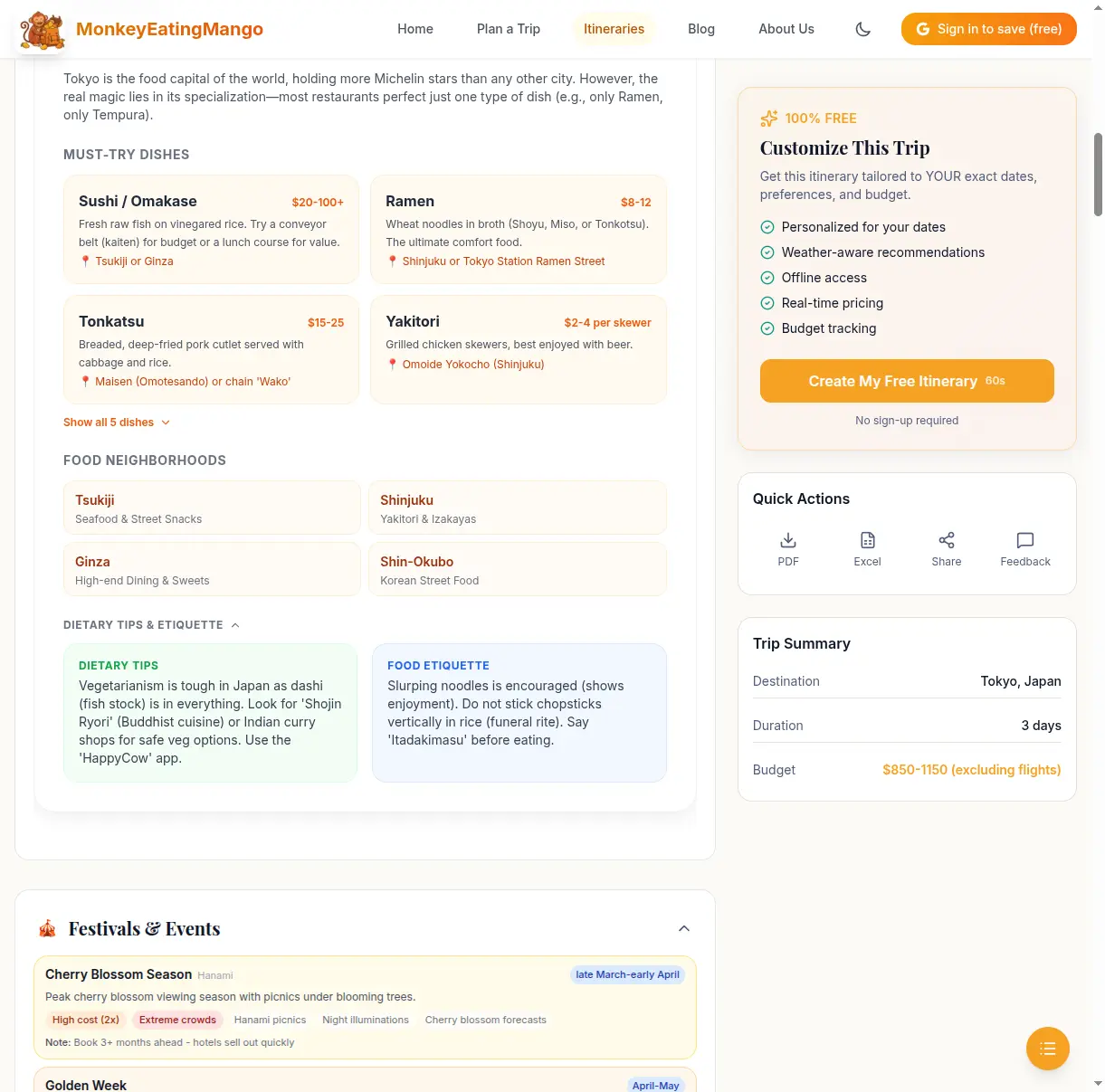
The food guide covers:
- Must-try dishes: name, price range, description, and where to find them
- Food neighborhoods: the best areas to eat and what each is known for
- Dietary tips: advice for vegetarians, allergies, or religious dietary needs
- Food etiquette: local customs (e.g., in Japan, slurping noodles is encouraged)
Other sections included
Scroll down the itinerary page and you will also find:
- Must-Have Experiences: a checklist showing how many iconic experiences the itinerary covers (e.g., "8 of 10 must-have experiences in Tokyo")
- Festivals & Events: local festivals happening around your travel dates, with crowd and cost impact
- Budget Tips: an expense breakdown (transport, accommodation, food, activities) plus money-saving tips
- Travel Tips: practical advice specific to the destination
- Packing List: what to bring, tailored to the destination and season
- Booking Checklist: what to book in advance and how far ahead
- Travel Essentials: SIM/connectivity options, electric socket types, tipping etiquette, emergency numbers, payment methods, and safety advisories
- FAQ: common questions about the destination with answers
- Related Itineraries: similar trips you might also like
Step 5: Download, Share, or Save
At the bottom of every itinerary, you have several options:
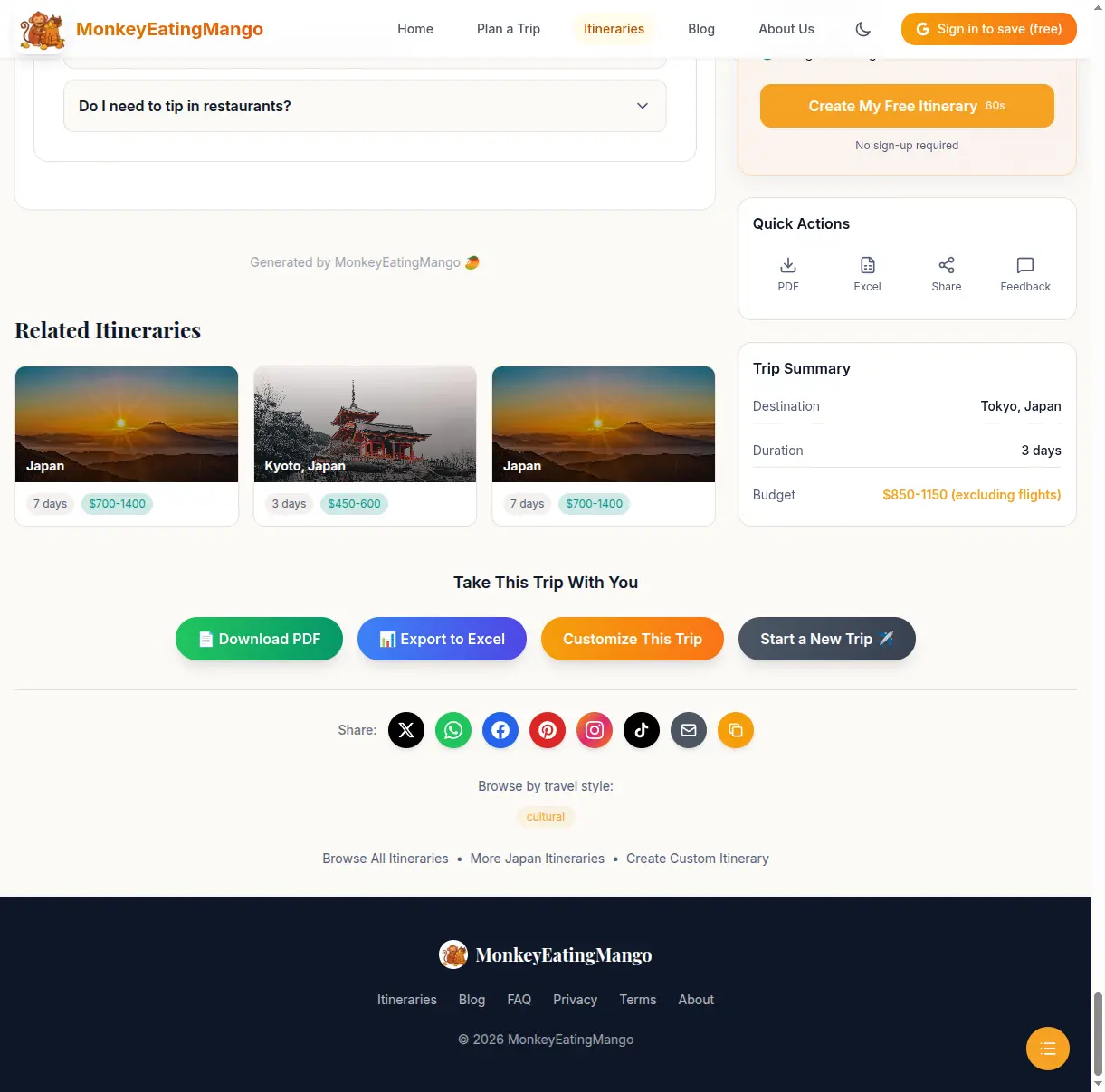
Exporting to a file is part of the same one-time $0.99 Trip Pass per trip. One pass covers every format (PDF, Excel, Word, Google Sheets, Google Docs).
- Download PDF: get the full itinerary as a PDF you can access offline during your trip
- Export to Excel: download as a spreadsheet you can edit, add notes to, and share with travel companions
- Share: send via WhatsApp, Twitter, Facebook, Pinterest, Instagram, TikTok, email, or copy the link
- Customize This Trip: jump back to the question flow to generate a personalized version with your exact dates and preferences
- Save to My Trips: sign in with Google (free) to save itineraries to your account and access them from any device
Browse Ready-Made Itineraries
If you want inspiration before creating a custom plan, browse the itineraries library.
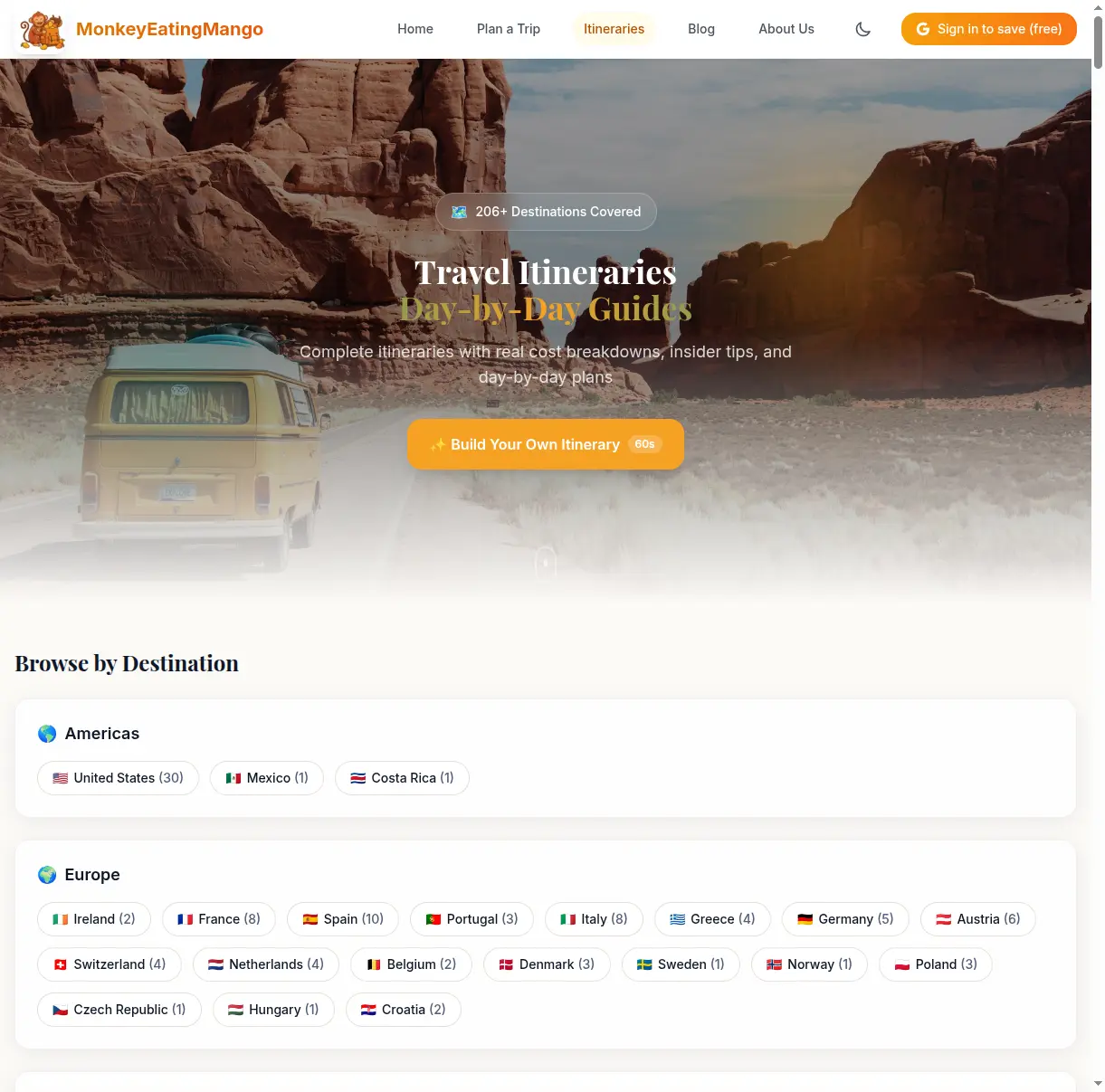
The library organizes itineraries by continent, country, and travel style (budget, luxury, family-friendly, romantic, adventure, etc.). Every itinerary includes the same level of detail described above: day-by-day plans, food guides, packing lists, and everything else.
Some popular starting points:
- 3-day Tokyo itinerary: perfect for first-time visitors
- 7-day Bali itinerary: temples, rice terraces, and beaches
- 4-day Barcelona itinerary: Gaudi, tapas, and La Rambla
- 10-day Thailand itinerary: Bangkok to islands
- 3-day Rome itinerary: Colosseum, Vatican, and Trastevere
Tips for Getting the Best Results
Be specific with your destination. "Tokyo" gives a more focused itinerary than "Japan." If you want a multi-city trip, search for the country name instead.
Match your pace to your energy. "Packed" means 5 to 6 activities a day; it is fun but tiring. If you are traveling with kids or want a slower trip, choose "Relaxed" (2 to 3 a day) or "Comfortable" (3 to 4).
Not sure where to go? Use "Let us suggest a destination" on the homepage, which suggests places from your dates, budget and starting point.
Regenerate if needed. The itinerary is free to generate. If you don't love the first result, go back and try different preferences. A different pace or set of interests can produce a very different plan.
Use the Excel export for group trips. Download the spreadsheet, add a column for who's interested in each activity, and share it with your travel group. It is easier to coordinate than sending a PDF back and forth.
Ready to Try It?
Generating your itinerary takes about two minutes and needs no account, and every day is free to read and edit. Export to a file (PDF, Excel, Google Sheets, Word, or Docs) is a one-time $0.99 per trip. Start planning your trip now.

Written by Shobhit Shrivastava · Founder
Related reading
Google Trip Planner (2026): The 5 Tools Explained
Google has had no single trip planner since Google Trips closed in 2019. AI Mode in Search, Gemini, Maps lists, Google Flights and Calendar each cover a piece; Gemini scored 8 of 20 on a 7-day Tokyo test.
Best AI Trip Planner 2026: 11 Scored on One Tokyo Brief
Eleven AI trip planners received the same 7-day Tokyo brief in October 2026 and were scored on the Oh-No Travel Index. iMean and Gemini scored best of the outside tools; Mindtrip, now behind an account, answered 3 of 15 must-dos.
Best Travel Apps 2026: By Trip Phase, With Prices
Twelve travel apps grouped by when you open them: planning, flights, bookings, getting around, money and memories. What each one's free tier covers, the price of the paid one, and the setup most trips need.