Planning a trip for two adults is one thing. Planning one for a family is a different problem: pacing that works for a 5-year-old, a budget that survives four sets of museum tickets, and a plan everyone can actually open on their own phone. Most AI travel planners weren't built for that.
Family trips expose the weak spots fast. A tool that schedules eight stops a day looks impressive until you're dragging a tired toddler past stop number three. Seven AI planners, compared on the criteria that matter when you travel with kids.
Disclosure: MonkeyEatingMango is our own product, the tool behind this blog, so weigh its ranking accordingly. Every other tool is described from its public pages, verified June 2026; confirm current details on the live sites.
How Were These Tools Judged for Families?
Five things separate a family-ready planner from a generic one:
- Pacing: does it plan a realistic day, or cram in stops a kid can't keep up with?
- Who's coming: can it account for kids and their ages, not just a destination?
- Budget: are costs built in, so the trip stays affordable?
- Access: can every parent open the plan, on any device?
- Logistics: commute times, meal timing, and a plan you can carry offline.
At a glance
| Tool | Free tier | Plans for kids | Budget built in | Works on any device |
|---|---|---|---|---|
| MonkeyEatingMango | Fully free | Yes (asks ages) | Yes (auto) | Yes (web) |
| Wanderlog | Free + Pro $39.99/yr | Manual | Manual | Yes (iOS/Android/web) |
| Layla AI | Free + paid | Via prompt | Limited | Yes (web) |
| Wonderplan | Fully free | Via prompt | No | Yes (web) |
| iplan.ai | Free + paid | Via prompt | No | Yes (web) |
| ChatGPT / Gemini | Free + paid | Via prompt | No | Yes (web) |
| Tripsy | Free + $59/yr | Manual | Manual | Apple only |
Want the plan built for you, with kid-friendly pacing already handled? Generate a free family itinerary in a few minutes →
1. MonkeyEatingMango: best overall for families
Best if: you want AI to build a complete, realistically paced family plan without hours of research.
Disclosure: this is our own product, described the same way as everything else here, including its limits.
MonkeyEatingMango asks who's coming on the trip, including kids and their ages, and shapes the itinerary around that. A day for a family with a toddler looks different from one for teens, and the pacing options (relaxed, moderate, packed) keep the schedule honest instead of stacking 12 stops into one afternoon.
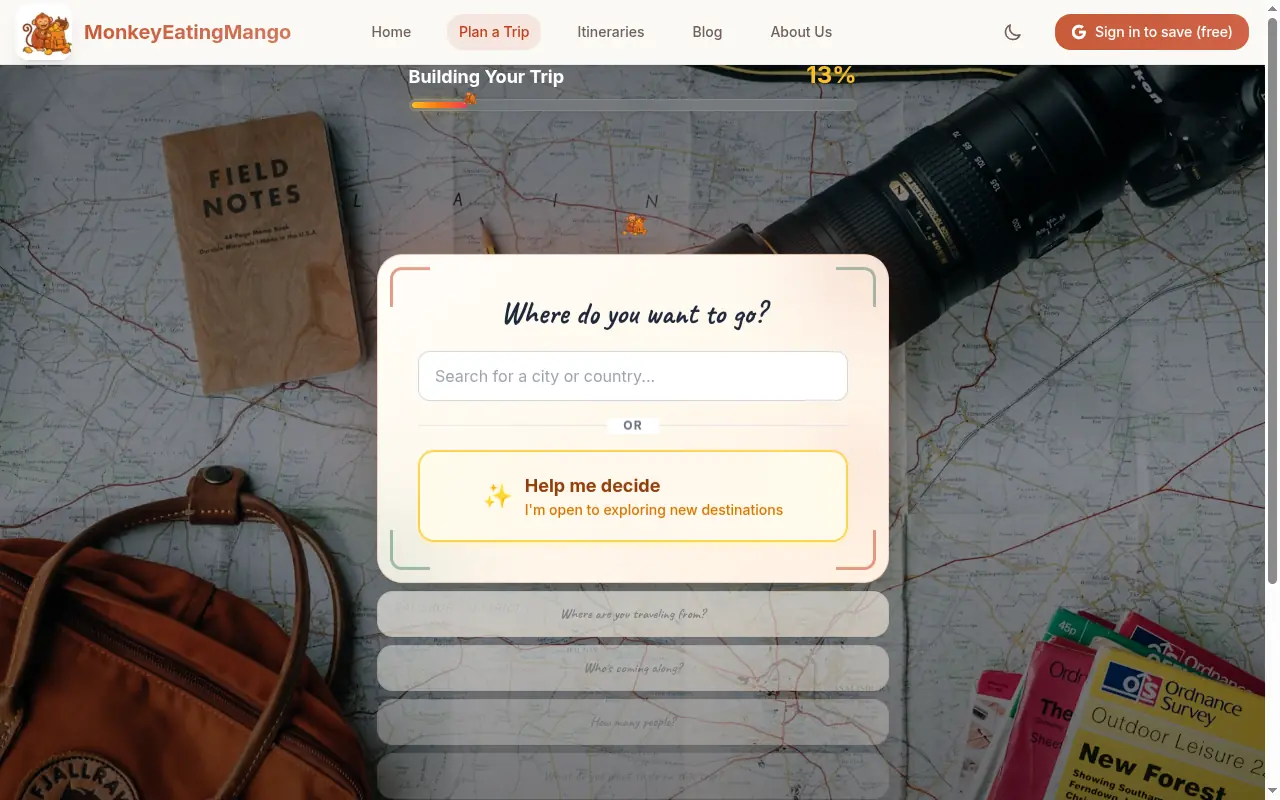
Budget is an input, not an afterthought, so every activity shows an estimated cost in your local currency and the trip stays inside the number you set. The plan downloads as a PDF or exports to Google Sheets and Excel, so both parents can carry it on any phone. We built the tool around family trips because they're the most-planned kind on it.
Family strengths
- Asks about group and kids' ages, then plans around them
- Realistic pacing options instead of an overstuffed day
- Costs built into every activity, in your local currency
- PDF, Excel, and Sheets export; works in any browser
Limitations
- No drag-and-drop planning workspace; you get a generated plan to edit
- No live collaborative editing (share links are view-only)
- Newer tool with a smaller community than Wanderlog
Browse the family-friendly itineraries for examples, or start a family plan →
2. Wanderlog: best for hands-on family co-planning
Best if: parents want to build the plan together across mixed devices.
Wanderlog is a map-based manual planner with native iOS and Android apps plus a web app, so both parents can edit the same trip live. That cross-device collaboration is its biggest family advantage. Its Pro AI assistant suggests places to add, but you still build the itinerary yourself.
Family strengths
- Live collaborative editing across iOS, Android, and web
- Driving-time calculations between stops, useful with kids in tow
- Generous free tier for manual planning
Limitations
- You build the plan yourself; no full itinerary generation
- Pro is $39.99/year for offline access, the AI assistant, and route optimization, as of June 2026
- Budget tracking is manual, with no automatic currency conversion
See the Wanderlog vs Tripsy comparison for how it stacks up against the Apple-native option.
3. Layla AI: best conversational planner for families
Best if: you'd rather describe the trip in plain language than fill a form.
Layla AI plans through chat: you describe the family trip you want and refine it in conversation. That flexibility helps when your needs are specific ("slow mornings, one activity a day, near a park"). The trade-off is that conversational tools can produce unrealistic timing between stops, so check the day's logistics before trusting it.
Family strengths
- Natural-language planning, good for spelling out kid constraints
- Iterative refinement through back-and-forth
Limitations
- Users report unrealistic pacing and occasional invented venues
- Slower to a complete plan than a guided generator
- Free tier with paid upgrades; verify current pricing at justlayla.com
4. Wonderplan: best for a quick family plan with a clean PDF
Best if: you want a fast draft you can print and hand around.
Wonderplan generates a straightforward itinerary from simple inputs and exports a clean PDF, free. It's light on budget features, so price the trip separately, but it gets a family skeleton plan on paper fast.
Family strengths
- Fast generation, clean free PDF export
- Simple inputs, low learning curve
Limitations
- No budget tracking
- Smaller feature set than established tools; verify current pricing at wonderplan.ai
5. iplan.ai: best for fast family inspiration
Best if: you want a rough plan in under a minute to react to.
iplan.ai produces an itinerary quickly from a destination, dates, and interests. It's good for sparking ideas the family can vote on, though the output is less detailed and fuller features sit behind paid tiers.
Family strengths
- Very fast generation from minimal inputs
- Useful for early "where should we go" brainstorming
Limitations
- Thinner output, limited customization
- PDF export and depth require paid plans (from roughly $4-10/month; verify at iplan.ai)
6. ChatGPT or Gemini: most flexible, but verify everything
Best if: you want total flexibility and don't mind writing detailed prompts.
A general AI model can plan any trip in any format, which suits unusual family constraints. The catch matters more with kids: no pacing intelligence, no maps, no saved plan. They can also suggest closed venues or impossible travel times. Treat the output as a draft to fact-check, not a plan to follow.
Family strengths
- Handles very specific requests if you prompt well
- Good for destination research and brainstorming
Limitations
- No pacing logic; tends to overstuff a day
- No budget tracking, maps, or persistent export
- Prone to hallucinations; free with limits, paid tiers from ~$20/month (verify at openai.com)
For a deeper look, see how to use ChatGPT for travel planning, and where it breaks.
7. Tripsy: best for Apple families organizing a booked trip
Best if: everyone's on Apple devices and you mainly need to organize bookings.
Tripsy is a polished iPhone, iPad, and Mac app for keeping a booked trip tidy, with offline access and multi-transport timelines. In 2026 it added a Claude feature that can build a trip from a destination, dates, and interests in conversation. The family limit is platform: it's Apple-only for editing, with Android on a waitlist, so a mixed-device family hits a wall.
Family strengths
- Polished Apple apps with offline access for travel days
- New Claude feature can draft and refine a trip
Limitations
- Apple-only for editing; Android is a waitlist as of June 2026
- Paid is $59/year or $299 lifetime, higher than Wanderlog Pro
- It organizes more than it plans; no budget-aware generation
Which one should your family use?
- Most families: MonkeyEatingMango. It asks about your kids and budget and builds a paced plan you can export and edit. Start a family plan →
- Hands-on co-planners: Wanderlog, for live editing across iOS, Android, and the web.
- Apple-only households: Tripsy, for organizing bookings, if you don't need cross-device editing.
- Fast ideas: iplan.ai or ChatGPT, for a rough draft to react to, then verify the details.
No single tool fits every family. A common approach is to generate the plan, then organize the bookings in a manager once the trip is real. For more options, see the 7 free AI travel planners compared and the best AI planners with budget tracking.
See what a generated plan looks like: 7-day Japan itinerary or browse the family-friendly itineraries.
Frequently asked questions
What's the best AI travel planner for a family with young kids?
For most families, a generator that asks who's coming and adjusts pacing is the better fit than a tool that crams 12 stops into a day. MonkeyEatingMango asks about your group and your kids' ages and shapes each day around realistic pacing, with costs built in and PDF export. Wanderlog is a strong manual option if you'd rather build the plan yourself across iOS, Android, and the web. Verify current features on each site.
Are AI travel planners safe to trust for family trips?
Use them for the first draft, then verify the specifics. General chatbots like ChatGPT and Gemini can suggest closed venues or impossible travel times, which matters more when you're moving with kids. Purpose-built planners that cross-reference real venue data tend to be steadier, but no AI tool is perfect. Always confirm opening hours, ticket policies, and any age limits before you go.
Which family travel planner works on both iPhone and Android?
MonkeyEatingMango runs in any browser, so every parent can open the plan regardless of phone. Wanderlog has native iOS and Android apps plus a web app. Tripsy is Apple-only for editing as of June 2026 (Android is on a waitlist), so it's best when the whole family is on Apple devices.
How do I plan a family trip on a budget with AI?
Pick a planner that treats budget as an input, not an afterthought. MonkeyEatingMango takes your budget upfront and shows estimated costs per activity in your local currency, so a family trip stays inside the number you set. Most other AI planners ignore costs, which means a second round of research to price everything yourself.
Is there a free AI travel planner for families?
Yes. MonkeyEatingMango generates a full family itinerary with costs, maps, and PDF, Excel, and Google Sheets export, with no account required. Wanderlog's free tier covers manual planning, and Wonderplan is free for quick AI plans. Layla and iplan.ai have free tiers with paid upgrades.
Disclosure: MonkeyEatingMango is our own product. Every other tool here is described from its public pages, verified June 2026; pricing and features change, so confirm current details on the live sites. Last updated June 2026.
Written by
Shobhit ShrivastavaPhotos from Wikimedia Commons, used under Creative Commons licenses