How to Use MonkeyEatingMango: From 8 Questions to a Complete Itinerary
MonkeyEatingMango generates a complete travel itinerary in about 60 seconds. You answer 8 questions, pick a destination, and get a day-by-day plan with costs, restaurant picks, a food guide, packing list, and Google Maps routes. This guide walks through the entire process with screenshots so you know exactly what to expect.
Step 1: Start the Question Flow
Go to monkeyeatingmango.com and click Start Planning. You can also click Plan a Trip in the top navigation bar.
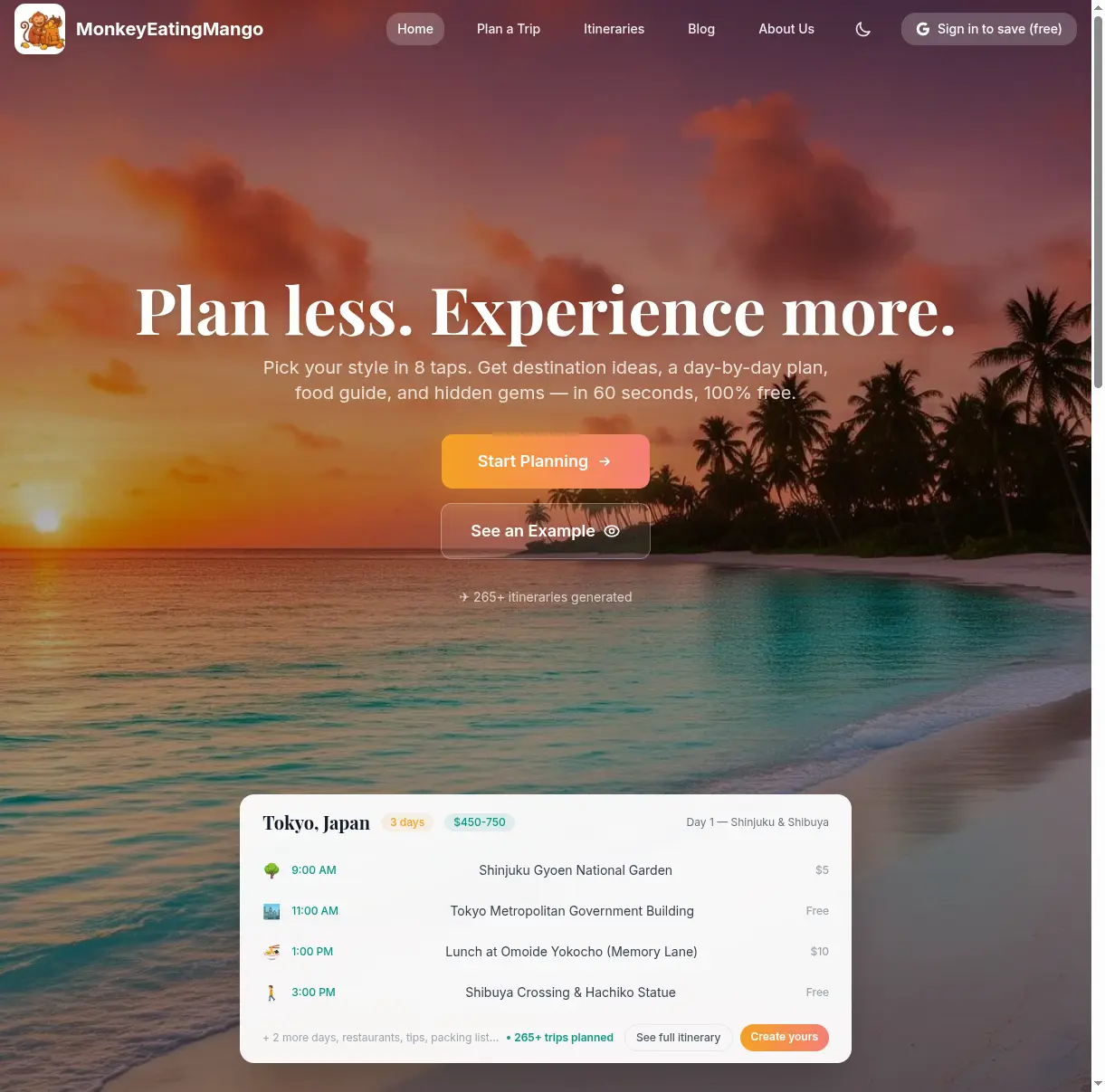
The homepage shows what you will get: a day-by-day itinerary with timed activities and cost estimates. The example card shows a 3-day Tokyo plan to give you an idea of the output format.
Step 2: Answer 8 Quick Questions
The questions are tap-based — no typing required (except for your destination city). Each question takes about 5 seconds to answer. Here is what you will be asked:
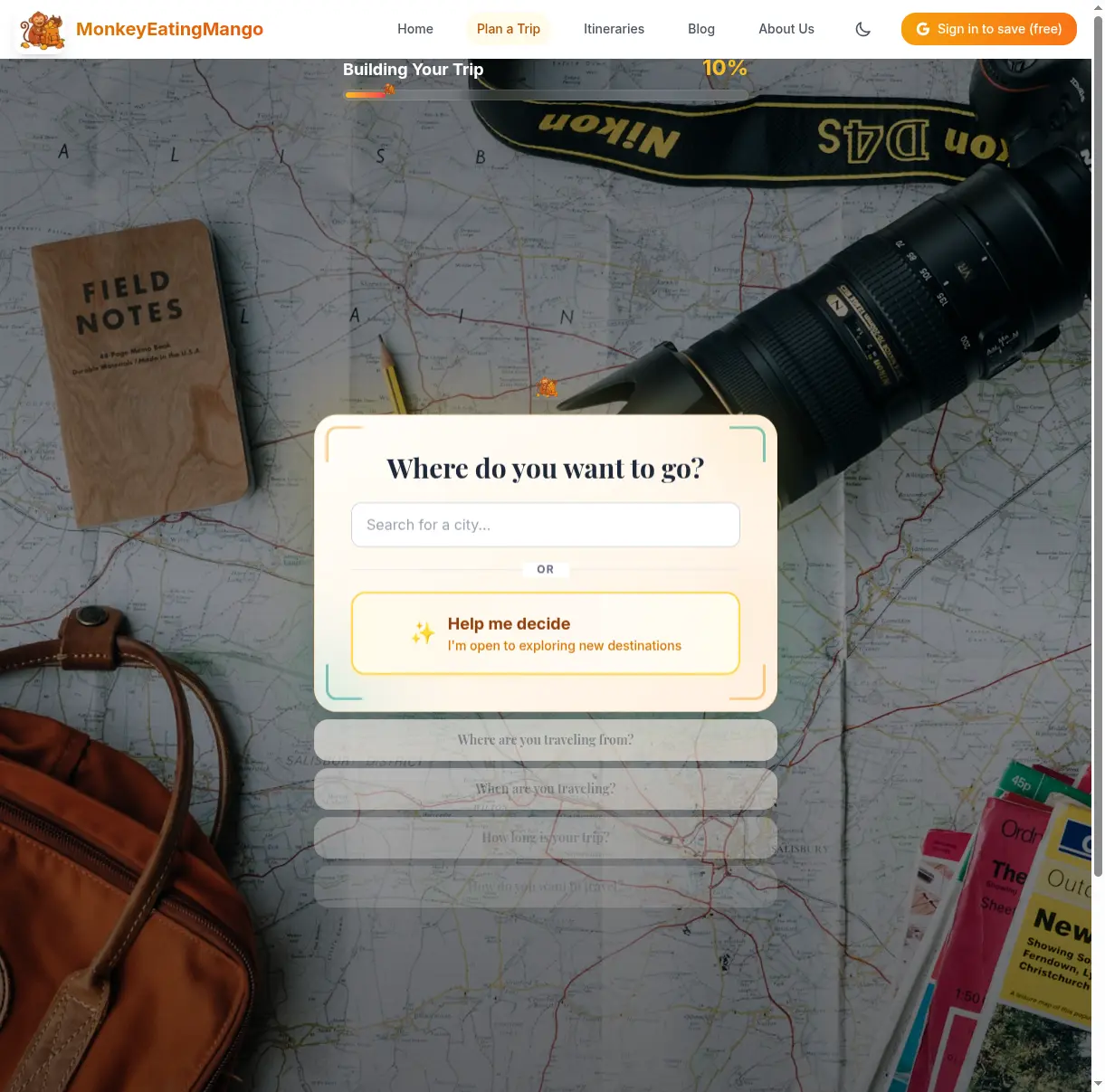
Question 1: Where do you want to go? Type a city name or tap Help me decide if you are open to suggestions. If you choose "Help me decide," the AI will suggest 4 destinations based on your other answers.
Question 2: Where are you traveling from? This helps calculate flight options and suggest destinations that are easy to reach from your location.
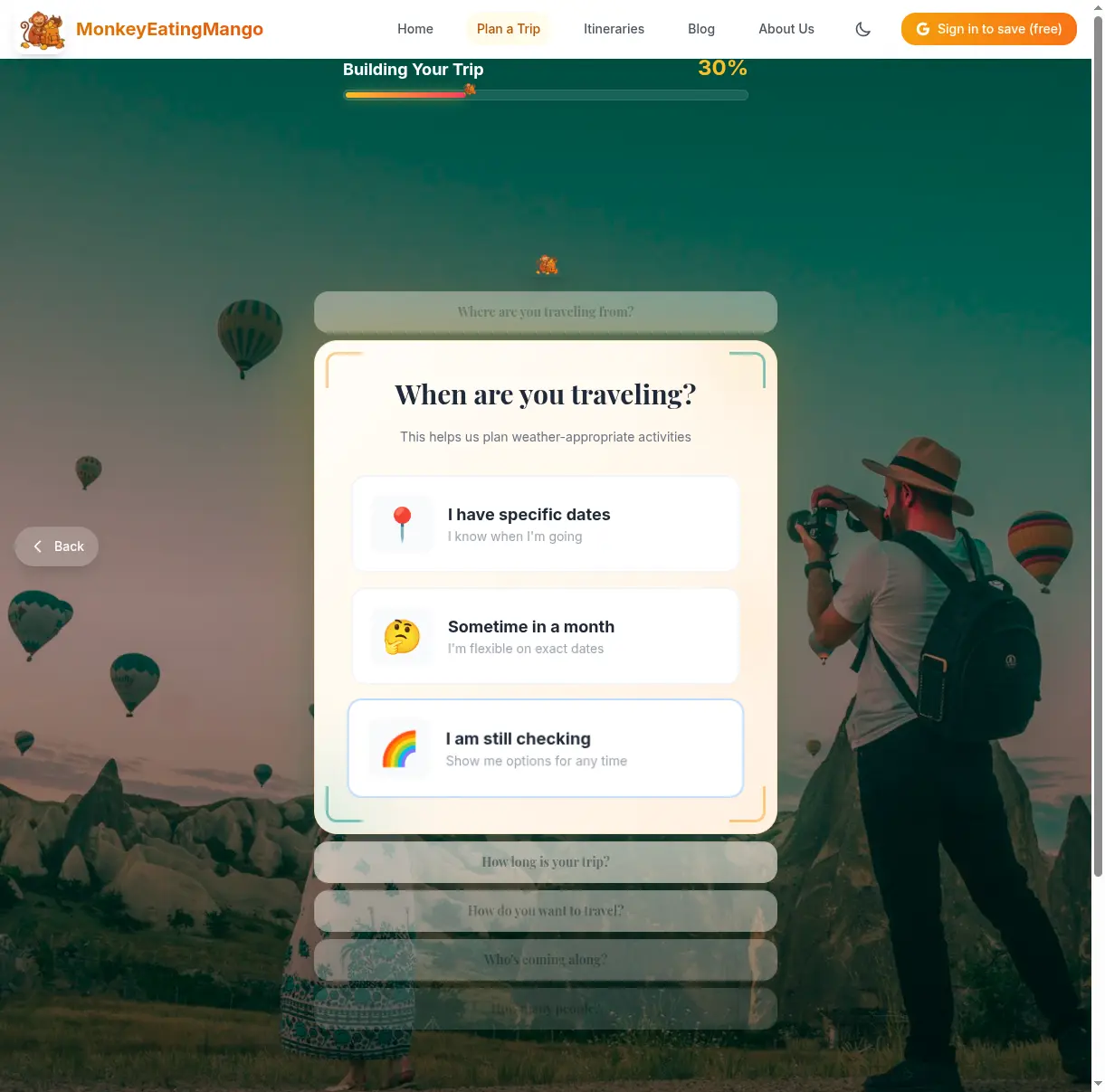
Question 3: When are you traveling? Pick specific dates, a general month, or "I'm still checking." The AI uses this to plan weather-appropriate activities and warn you about local holidays or festivals.
Questions 4-8 cover:
- How long is your trip — from a weekend getaway to 18 days
- How do you want to travel — solo, couple, family, or group
- Who's coming along — adults, kids, specific interests
- What's your budget — budget, moderate, or luxury
- What's your pace — relaxed (1-2 activities/day), balanced, or action-packed
Every question is a single tap. The progress bar at the top tracks where you are. You can tap Back at any point to change a previous answer.
Step 3: Pick Your Destination
If you entered a specific city in question 1, the AI generates your itinerary immediately.
If you chose "Help me decide," you will see 4 destination suggestions tailored to your answers. Each card shows the destination, duration, estimated budget, and a brief description. Tap the one you want, and the itinerary generates in about 30 seconds.
Step 4: Explore Your Itinerary
This is the main output — a complete travel plan. Here is what the itinerary page looks like, using a 3-day Tokyo itinerary as an example:
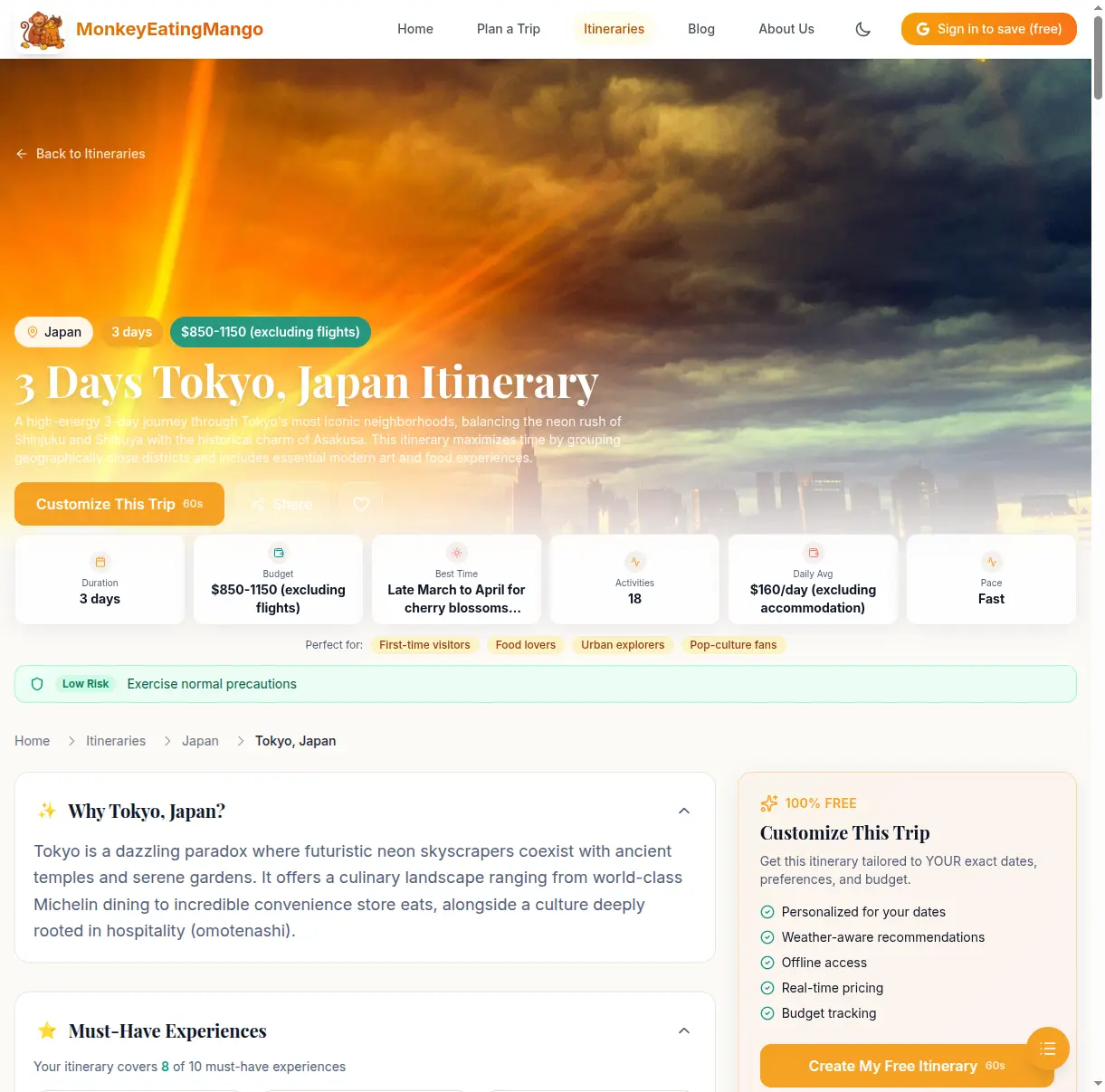
Trip overview at a glance
The top of every itinerary shows key stats:
- Duration — how many days the trip covers
- Total budget — estimated cost excluding flights
- Best time to visit — recommended months and why
- Activities count — total planned activities across all days
- Daily average — how much to budget per day
- Pace — relaxed, moderate, or fast
- Perfect for — who this itinerary suits (first-time visitors, food lovers, families, etc.)
A safety banner shows the current travel advisory level for your destination (low risk, moderate, high).
Day-by-day timeline
Each day has a theme (e.g., "Youth Culture & Neon Lights"), a highlight of the day, weather forecast, and a budget estimate.
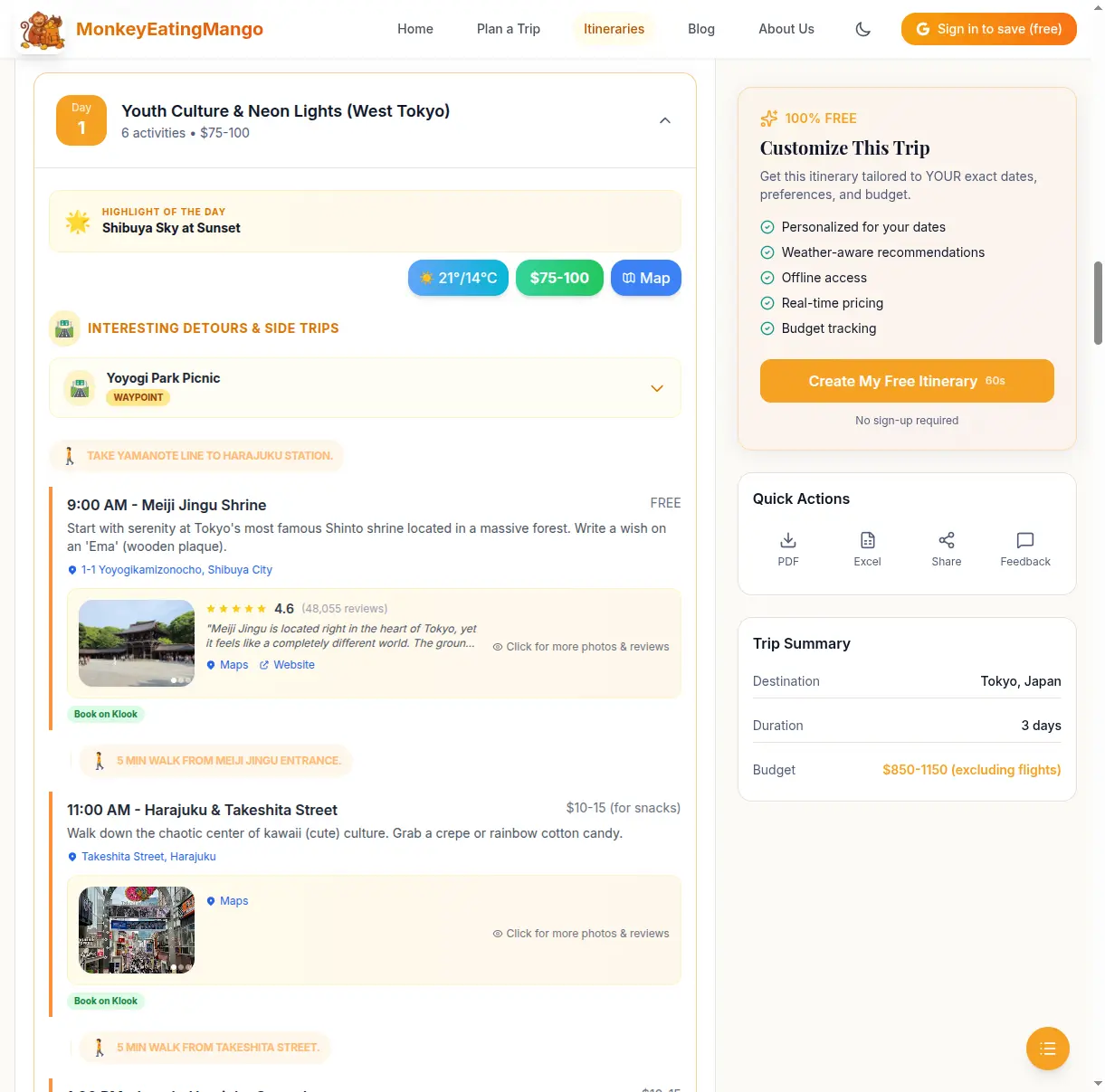
Activities are listed in order with:
- Time — when to start each activity
- Name and description — what the activity is and why it is worth doing
- Cost — individual cost estimate (or "Free")
- Address — clickable link that opens in Google Maps
- Transit info — how to get from the previous activity (walk, train, bus) with estimated time
- Book on Klook — direct booking link for activities that need tickets
At the end of each day, there is a hotel recommendation for the area, with price range and a link to search hotels.
Tap Expand All to see every day at once, or tap individual days to expand them one at a time. Each day also has a Map button that opens a Google Maps route for all that day's stops.
Food guide
Every itinerary includes a food guide specific to the destination.
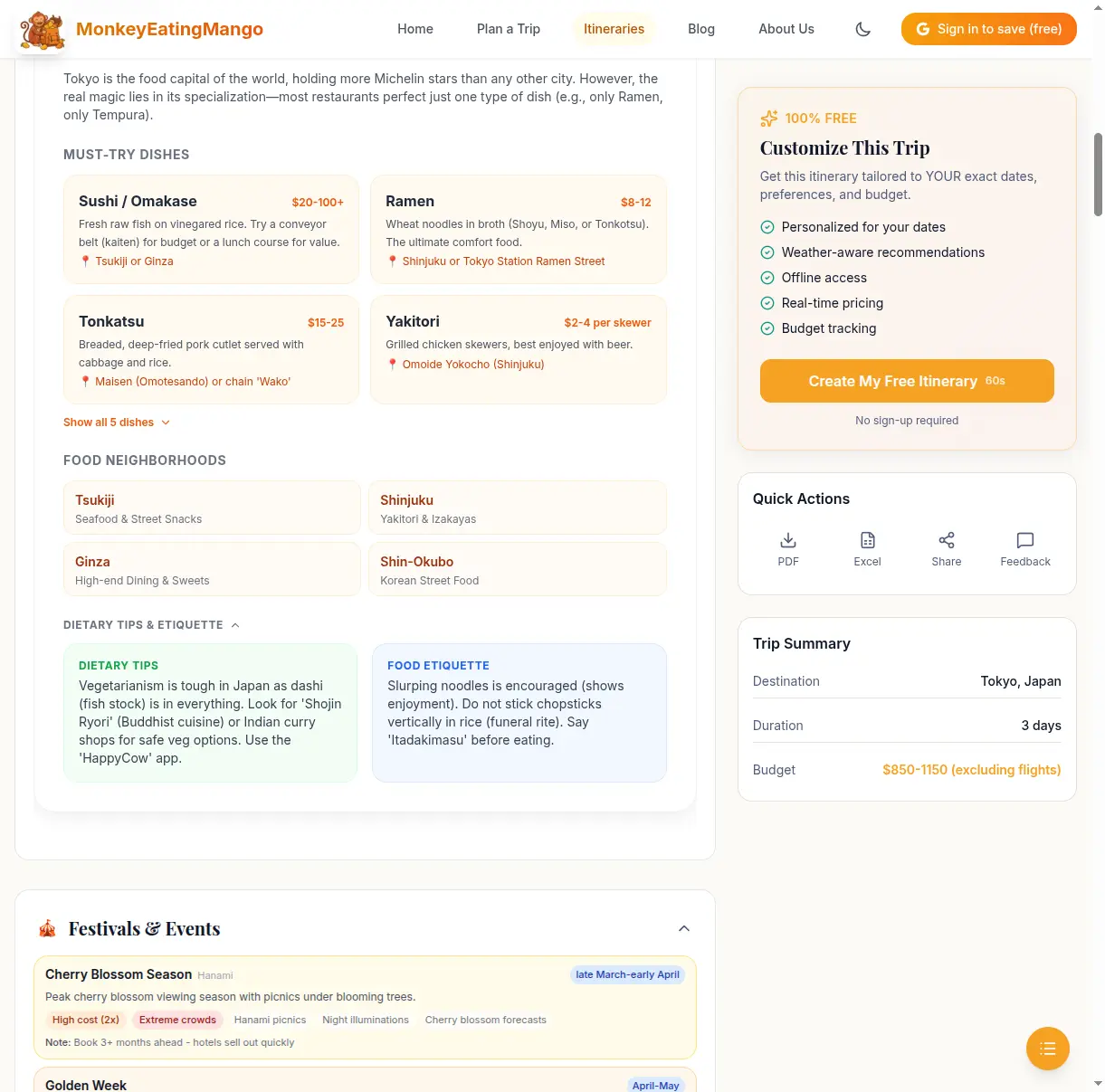
The food guide covers:
- Must-try dishes — name, price range, description, and where to find them
- Food neighborhoods — the best areas to eat and what each is known for
- Dietary tips — advice for vegetarians, allergies, or religious dietary needs
- Food etiquette — local customs (e.g., in Japan, slurping noodles is encouraged)
Other sections included
Scroll down the itinerary page and you will also find:
- Must-Have Experiences — a checklist showing how many iconic experiences the itinerary covers (e.g., "8 of 10 must-have experiences in Tokyo")
- Festivals & Events — local festivals happening around your travel dates, with crowd and cost impact
- Budget Tips — an expense breakdown (transport, accommodation, food, activities) plus money-saving tips
- Travel Tips — practical advice specific to the destination
- Packing List — what to bring, tailored to the destination and season
- Booking Checklist — what to book in advance and how far ahead
- Travel Essentials — SIM/connectivity options, electric socket types, tipping etiquette, emergency numbers, payment methods, and safety advisories
- FAQ — common questions about the destination with answers
- Related Itineraries — similar trips you might also like
Step 5: Download, Share, or Save
At the bottom of every itinerary, you have several options:
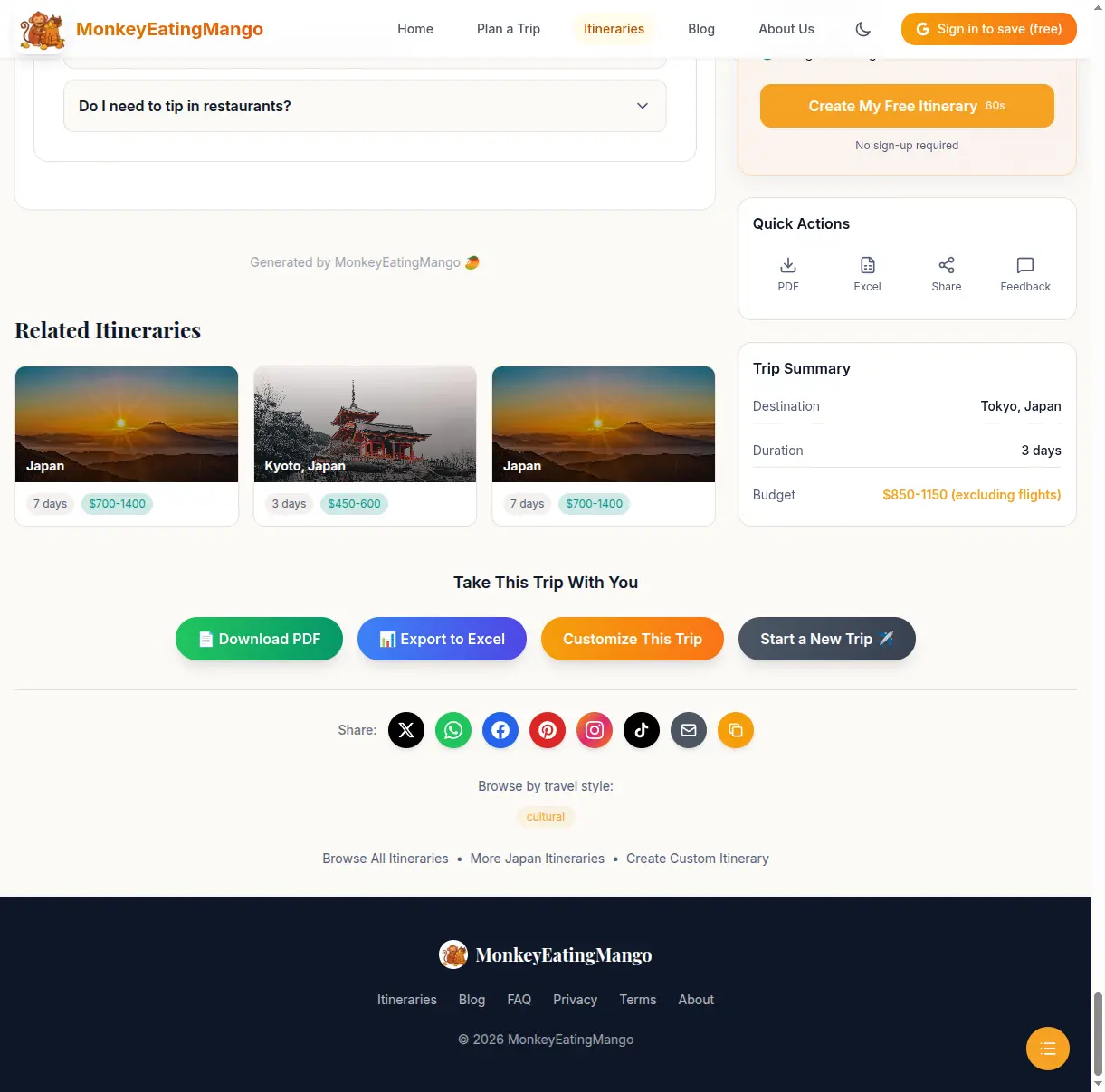
- Download PDF — get the full itinerary as a PDF you can access offline during your trip
- Export to Excel — download as a spreadsheet you can edit, add notes to, and share with travel companions
- Share — send via WhatsApp, Twitter, Facebook, Pinterest, Instagram, TikTok, email, or copy the link
- Customize This Trip — jump back to the question flow to generate a personalized version with your exact dates and preferences
- Save to My Trips — sign in with Google (free) to save itineraries to your account and access them from any device
Browse 200+ Ready-Made Itineraries
If you want inspiration before creating a custom plan, browse the itineraries library.
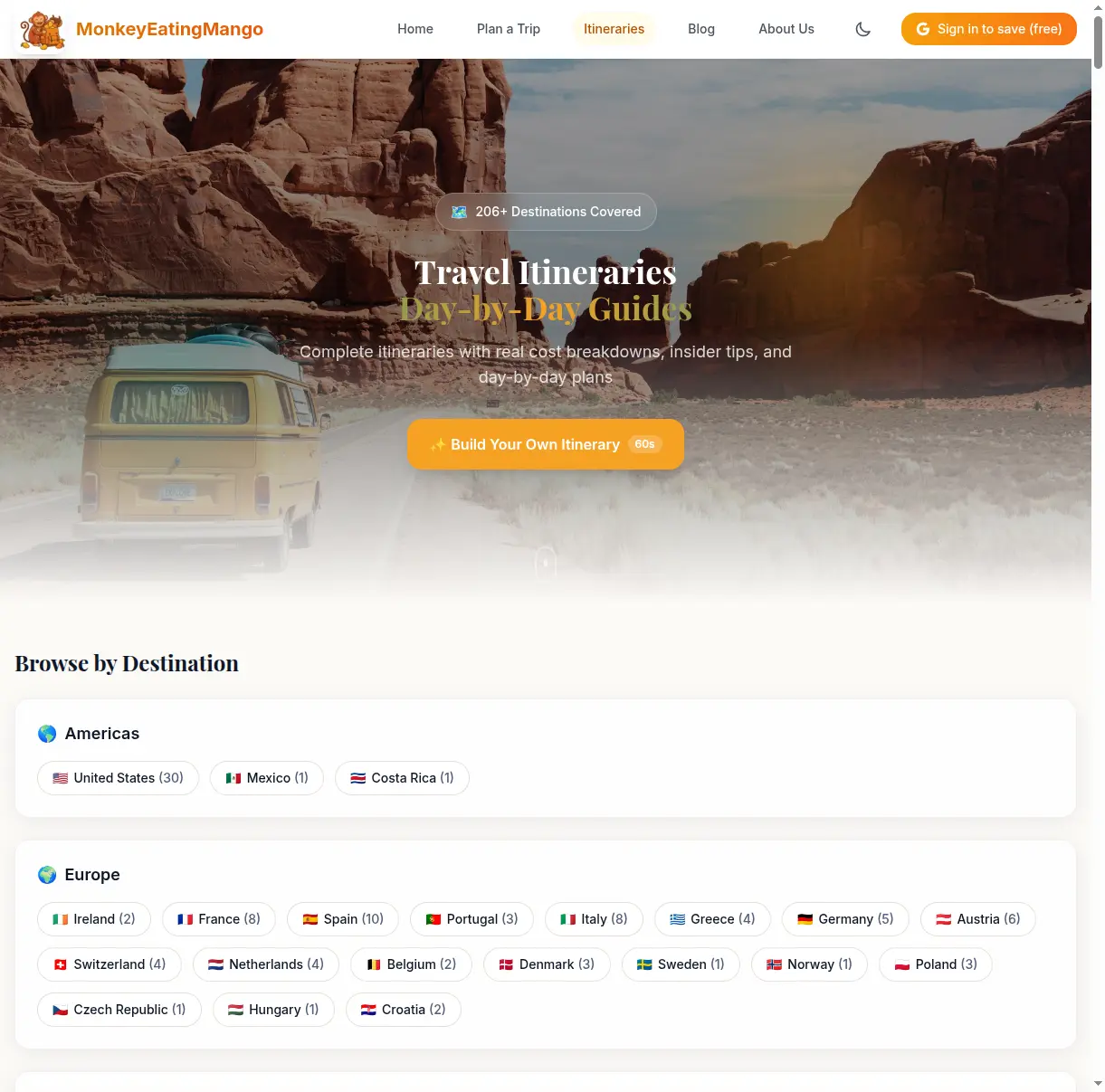
Itineraries are organized by continent, country, and travel style (budget, luxury, family-friendly, romantic, adventure, etc.). Every itinerary includes the same level of detail described above — day-by-day plans, food guides, packing lists, and everything else.
Some popular starting points:
- 3-day Tokyo itinerary — perfect for first-time visitors
- 7-day Bali itinerary — temples, rice terraces, and beaches
- 4-day Barcelona itinerary — Gaudi, tapas, and La Rambla
- 10-day Thailand itinerary — Bangkok to islands
- 3-day Rome itinerary — Colosseum, Vatican, and Trastevere
Tips for Getting the Best Results
Be specific with your destination. "Tokyo" gives a more focused itinerary than "Japan." If you want a multi-city trip, search for the country name instead.
Match your pace to your energy. "Action-packed" means 4+ activities per day. It is fun but exhausting. If you are traveling with kids or prefer a relaxed vacation, choose "Relaxed" or "Balanced."
Try "Help me decide" at least once. The AI suggestions often surface destinations you would not have considered. Many users discover their favorite trips this way.
Regenerate if needed. The itinerary is free to generate. If you don't love the first result, go back and try different preferences — a different pace, budget, or travel style can produce a very different plan.
Use the Excel export for group trips. Download the spreadsheet, add a column for who's interested in each activity, and share it with your travel group. It is easier to coordinate than sending a PDF back and forth.
Ready to Try It?
The whole process takes about 60 seconds. No account needed, completely free. Start planning your trip now.
Written by
Mango
Popular Itineraries
Hand-crafted day-by-day travel plans
Japan
7-day itinerary
Tokyo, Kyoto & Osaka
Paris
5-day itinerary
Perfect for couples
Bali
7-day itinerary
Temples, rice fields & beaches
Italy
10-day itinerary
The Italian grand tour
Want More Travel Tips?
Browse our collection of travel guides, tips, and inspiration for your next adventure.